Blog
The Best Self-Hosted Open Source Apps I Actually Use (And Keep Running)
Table of Contents
I’ve been self-hosting apps for a while now, and it’s one of the best decisions I’ve made as someone who cares about privacy, control, and not paying for five SaaS subscriptions when one server can do the job for free.
This isn’t a list I compiled from Reddit threads. Every single app here runs on my own infrastructure. I use them daily (or regularly), I trust them, and I think they’re genuinely excellent pieces of software.
I’ll keep updating this post as my stack evolves, so bookmark it and check back.
Quick Overview
| App | Category | What It Replaces | Self-Host Difficulty |
|---|---|---|---|
| Jellyfin | Media Server | Plex / Netflix | Easy |
| Immich | Photo Backup | Google Photos | Easy |
| Actual Budget | Personal Finance | YNAB / Mint | Easy |
| Ghostfolio | Investment Portfolio Tracker | Personal Capital / Kubera | Medium |
| Mail-in-a-Box | Email Server | Gmail (self-managed) | Hard |
| Uptime Kuma | Monitoring | Uptime Robot | Easy |
| ntfy | Push Notifications | Pushover / Pushbullet | Easy |
| Joplin | Notes & Knowledge Base | Evernote / Notion | Easy |
| Memos | Quick Notes (used before) | Twitter / Notion | Easy |
| Siyuan | Knowledge Base (used before) | Obsidian / Notion | Easy |
| Paperless-ngx | Document Management | Papra (used before) / Google Drive scanning | Medium |
| Coolify | Deployment Platform | Heroku / Railway | Medium |
| Postiz | Social Media Scheduling | Buffer / Hootsuite | Medium |
| Rybbit | Web Analytics | Google Analytics | Easy |
| ClickHouse | Analytics Database | BigQuery / Redshift | Medium |
| Dawarich | Location Timeline | Google Maps Timeline | Medium |
| Linkwarden | Bookmark Manager | Raindrop / Pocket | Easy |
| Audiobookshelf | Audiobook Library | Audible | Easy |
| Bitwarden (Vaultwarden) | Password Manager | 1Password / LastPass | Easy |
| Minecraft Server | Game Server | Realms / Hosted Servers | Easy |
1. Jellyfin
Category: Media Server
GitHub: jellyfin/jellyfin
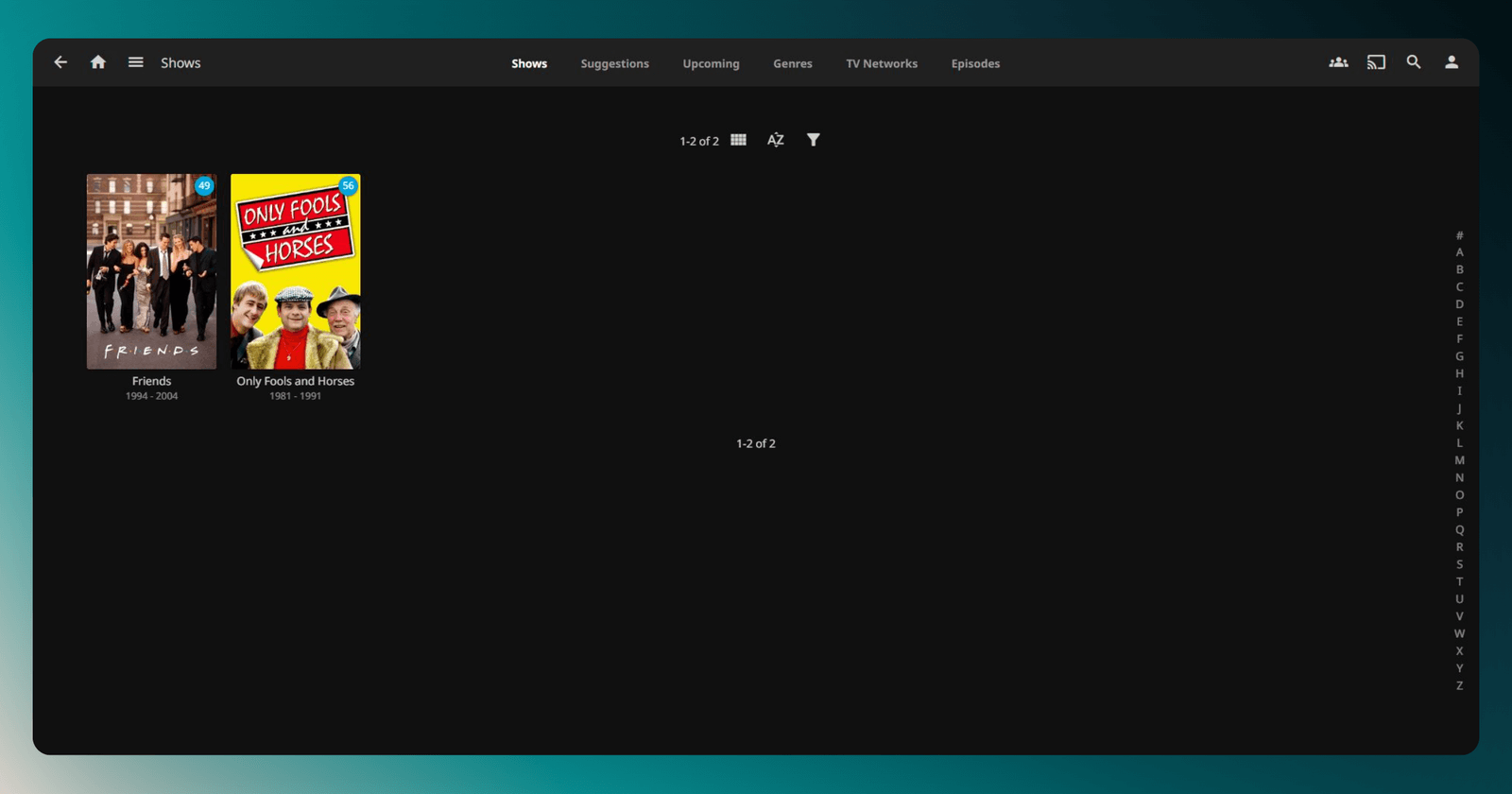
Jellyfin is my personal Netflix. All my movies, TV shows, and music, organised, beautifully displayed, and streamable on any device. It’s the fully open-source alternative to Plex, and unlike Plex, it doesn’t require an account, doesn’t have ads, and doesn’t lock features behind a subscription.
The apps are available on every platform: iOS, Android, Apple TV, Roku, Fire Stick, Smart TVs, web browsers. Clients are fast, the transcoding is solid, and the library management is excellent.
Why I love it: I own my media. I control who has access. No monthly fees, no data harvesting, no forced sign-ups.
Honest con: Hardware transcoding setup can be fiddly the first time. Once it’s working though, it just runs.
Self-host difficulty: Easy. Docker image is straightforward.
2. Immich
Category: Photo & Video Backup
GitHub: immich-app/immich
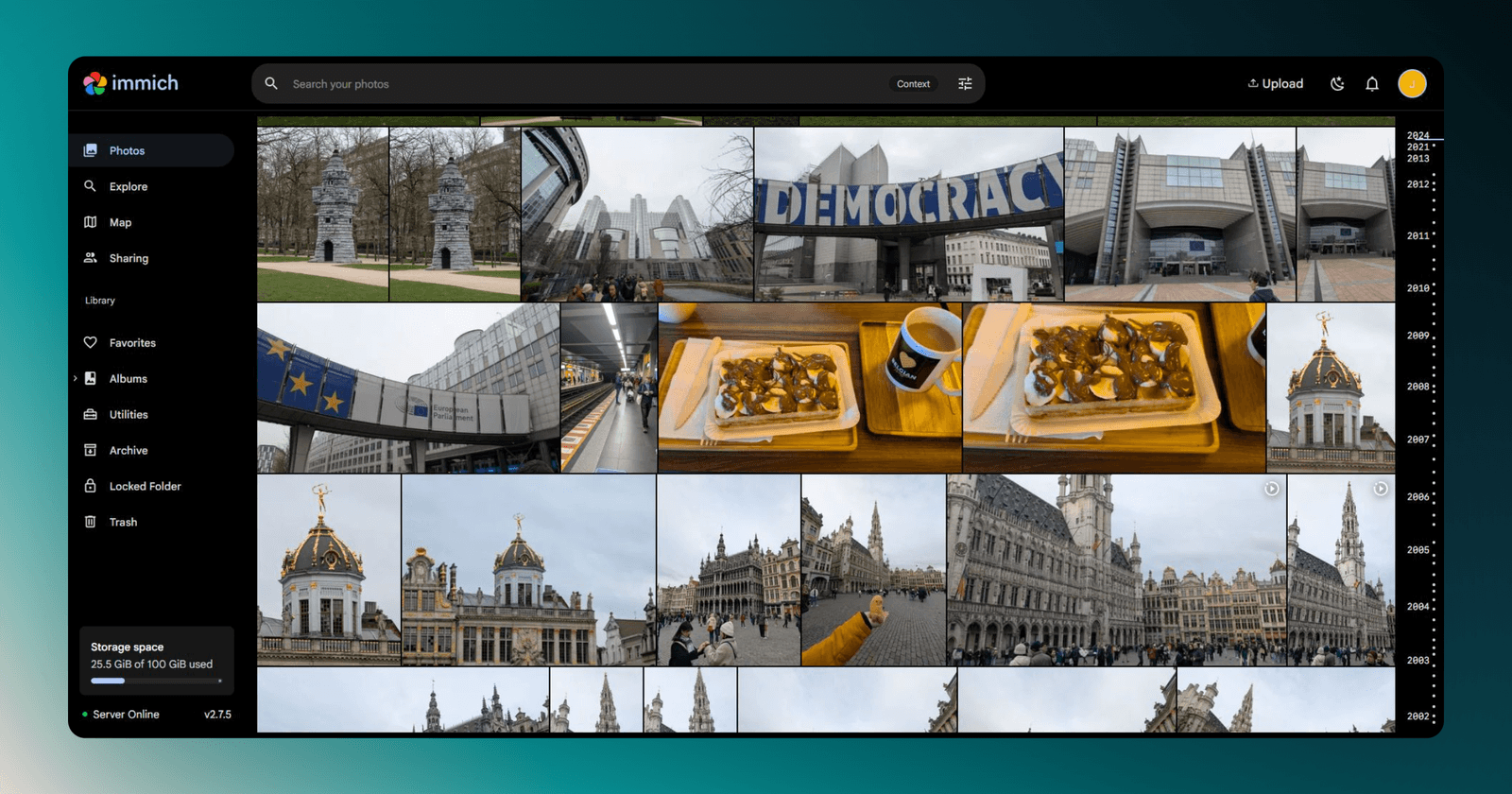
Immich is the best Google Photos alternative I’ve found, and I’ve tried most of them. The mobile app automatically backs up photos and videos from your phone. The web interface is clean, fast, and packed with features: face recognition, smart search, map view, albums, memories, and shared albums.
It’s genuinely one of those projects where you ask “how is this free?” The development pace is insane: the team ships major features every week.
Why I love it: Full privacy for my photos. Face recognition that actually works. A mobile app that feels polished, not like an open-source afterthought.
Honest con: It’s still technically in active development, so things occasionally change between updates. Always back up before upgrading.
Self-host difficulty: Easy. Docker Compose setup is well-documented.
3. Actual Budget
Category: Personal Finance
GitHub: actualbudget/actual
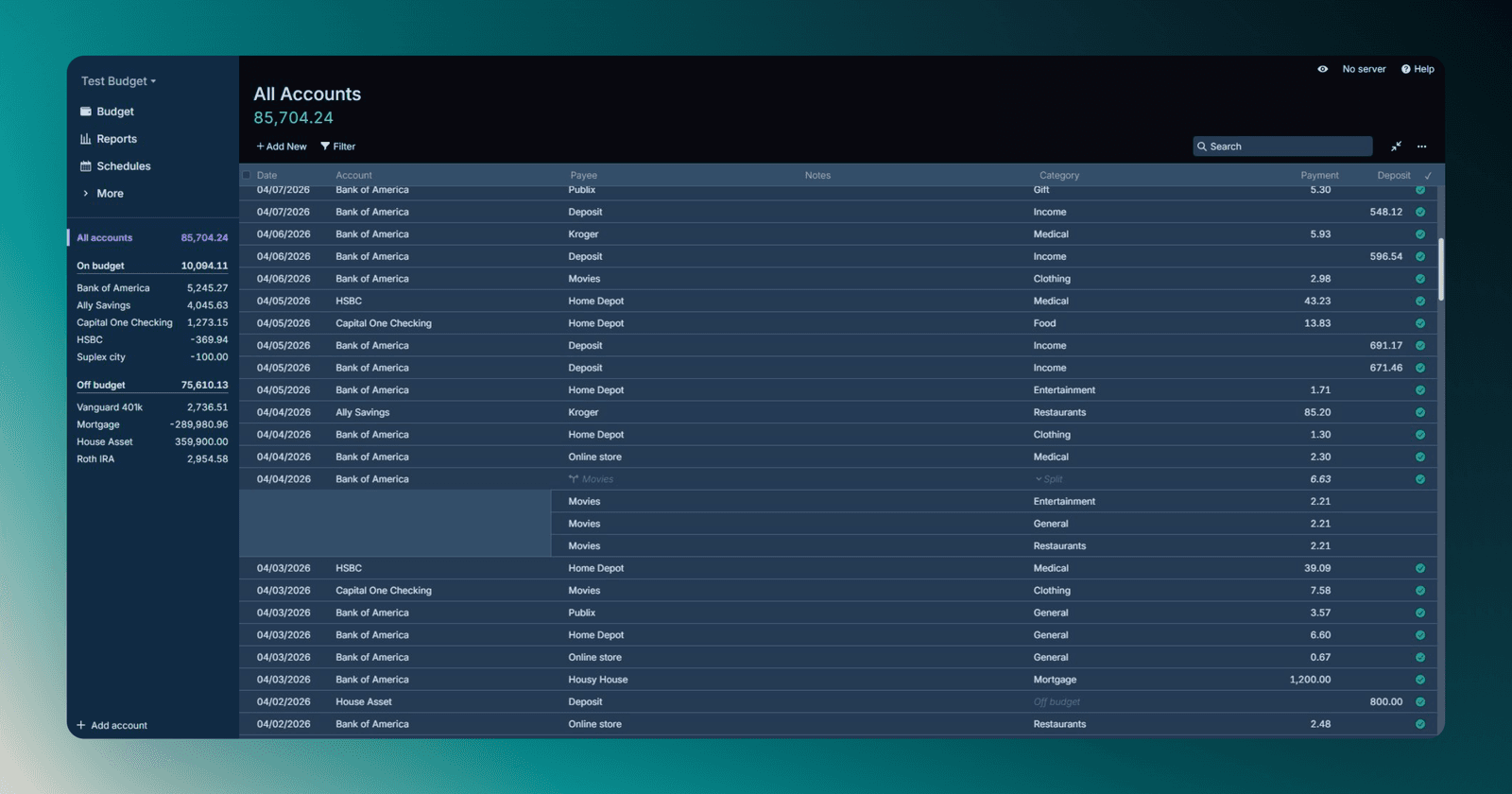
Actual Budget is an envelope-based budgeting app (inspired by YNAB) that I run locally. You connect your bank accounts, categorise transactions, and budget by allocating money to specific categories before you spend it. It’s one of the most effective budgeting methodologies that exists, and the fact that I can self-host it and keep all my financial data on my own server is a huge win.
The UI is clean, the reports are useful, and the import/sync features have improved dramatically over the past year.
Why I love it: My financial data stays on my server. No subscriptions (YNAB costs £109/year). The envelope method genuinely changes how you think about money.
Honest con: Bank syncing in certain regions (UAE included) requires manual imports or third-party bridges. Not a dealbreaker, but worth knowing.
Self-host difficulty: Easy. Single Docker container.
4. Ghostfolio
Category: Investment Portfolio Tracker
GitHub: ghostfolio/ghostfolio
Ghostfolio is an open source portfolio tracker for stocks, ETFs, and crypto. You add your holdings, either manually or through data providers, and it gives you performance charts, asset allocation breakdowns, fees paid over time, and a dashboard that actually looks like something you’d pay for. I run it on my own server and check it more often than I’d like to admit.
Why I love it: No third party sees my net worth or my holdings. The allocation view is genuinely useful for spotting when you’re overweight in one sector without realising it.
Honest con: Some market data providers need API keys, and the free tiers on those can be rate limited. Not really a Ghostfolio problem, but worth knowing going in.
Self-host difficulty: Medium. Docker Compose stack with its own dedicated Postgres and Redis containers.
5. Mail-in-a-Box
Category: Email Server
GitHub: mail-in-a-box/mailinabox
Running your own email server is the most technically involved thing on this list, but Mail-in-a-Box makes it as painless as it can possibly be. It’s a complete, self-contained email server (SMTP, IMAP, spam filtering, webmail, DNS management) that you install on an Ubuntu VPS.
I use it for specific domains where I want complete email control. It handles SPF, DKIM, and DMARC automatically, and the setup is genuinely well thought-through.
Why I love it: Full control over email deliverability, archiving, and privacy. No third-party email provider has access to my mail.
Honest con: Running a mail server is inherently complex. Deliverability to Gmail/Outlook inboxes requires reputation-building. If you’re not comfortable with DNS and server administration, this one isn’t for you.
Self-host difficulty: Hard. Requires a VPS, domain, and some server knowledge.
6. Uptime Kuma
Category: Server Monitoring
GitHub: louislam/uptime-kuma
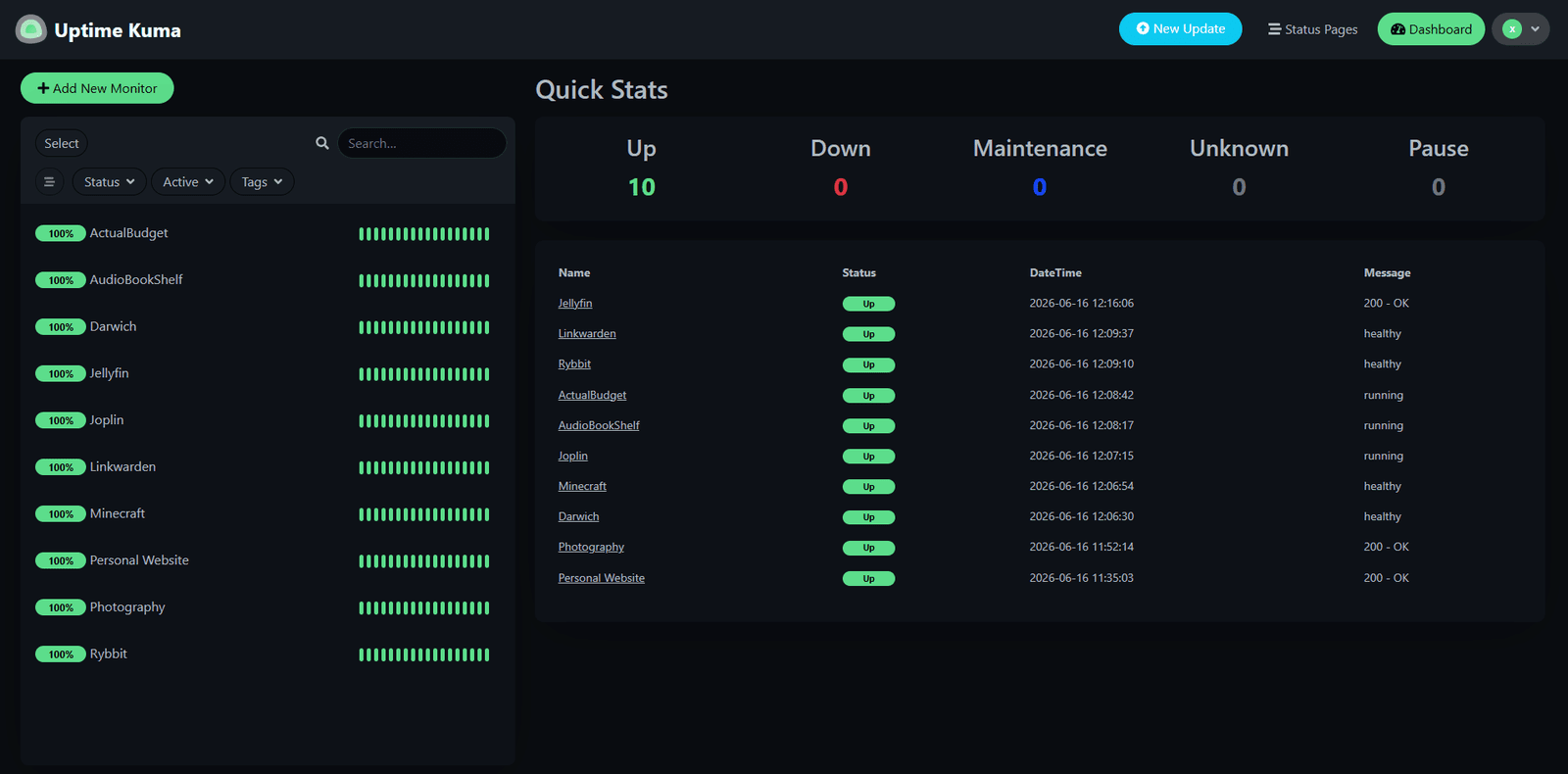
Uptime Kuma is a beautiful, self-hosted monitoring tool that checks whether your websites, servers, and services are up. It supports HTTP, TCP, DNS, ping checks and more. The UI looks like a premium product. Notifications work via Telegram, Slack, email, Discord, and dozens of other channels (including ntfy, more on that below).
It replaced Uptime Robot for me completely. Better features, no account limits, and my monitoring data isn’t sitting on someone else’s server.
Why I love it: The UI is genuinely gorgeous for an open-source tool. Status page feature is excellent for showing clients their site’s uptime history.
Honest con: None worth mentioning. It just works.
Self-host difficulty: Easy. One of the easiest Docker deployments on this list.
7. ntfy
Category: Push Notifications
GitHub: binwiederhier/ntfy
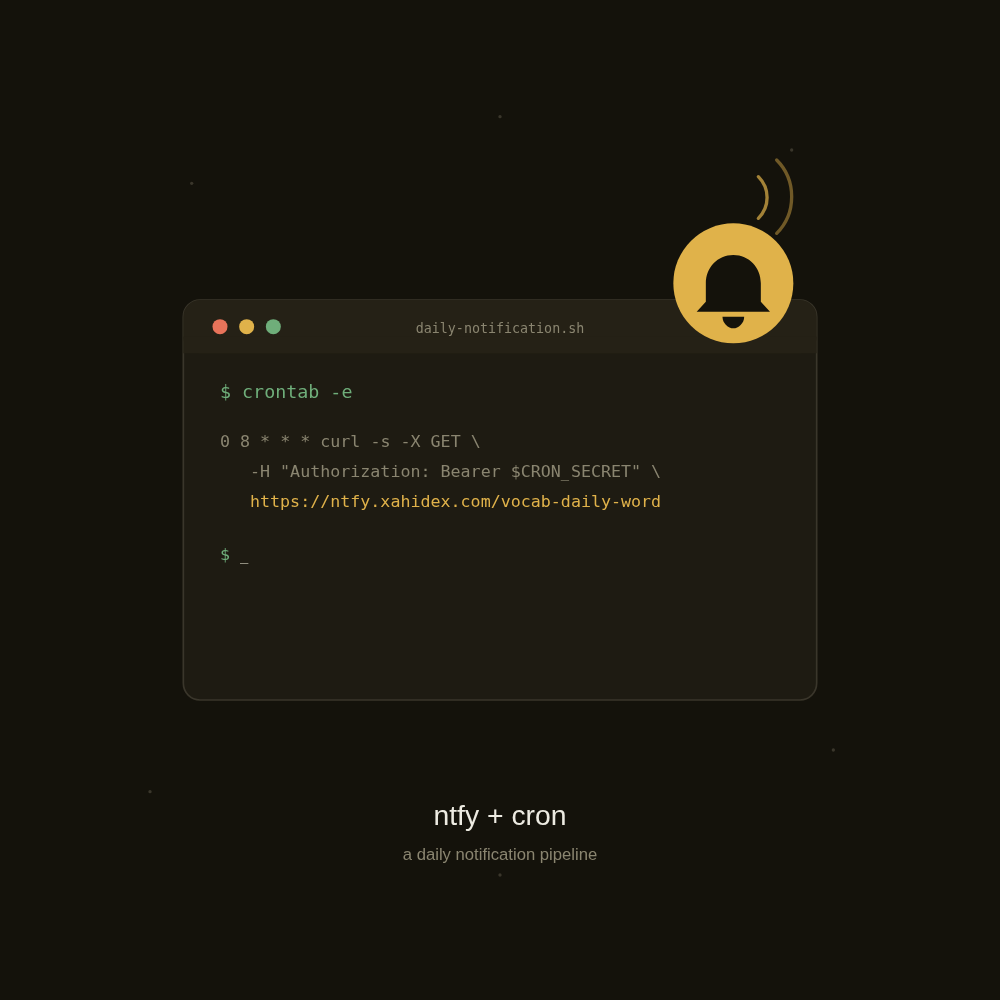
ntfy is a dead simple pub-sub notification service. You send a message with a curl command or a plain HTTP request to a topic, and it shows up instantly on your phone or desktop. I use it as the notification layer for pretty much everything else on this list: Uptime Kuma alerts, backup job results, deploy notifications from Coolify, cron job failures, all of it lands in ntfy.
Why I love it: It’s stupidly easy to wire into any script or service. No accounts, no complicated setup, just a topic name and an HTTP call.
Honest con: It’s a notification tool, not a monitoring tool on its own. You still need something upstream (Uptime Kuma, a cron job, a webhook) deciding when to actually fire a message.
Self-host difficulty: Easy. Single Docker container, no database required.
8. Joplin
Category: Notes & Knowledge Base
GitHub: laurent22/joplin
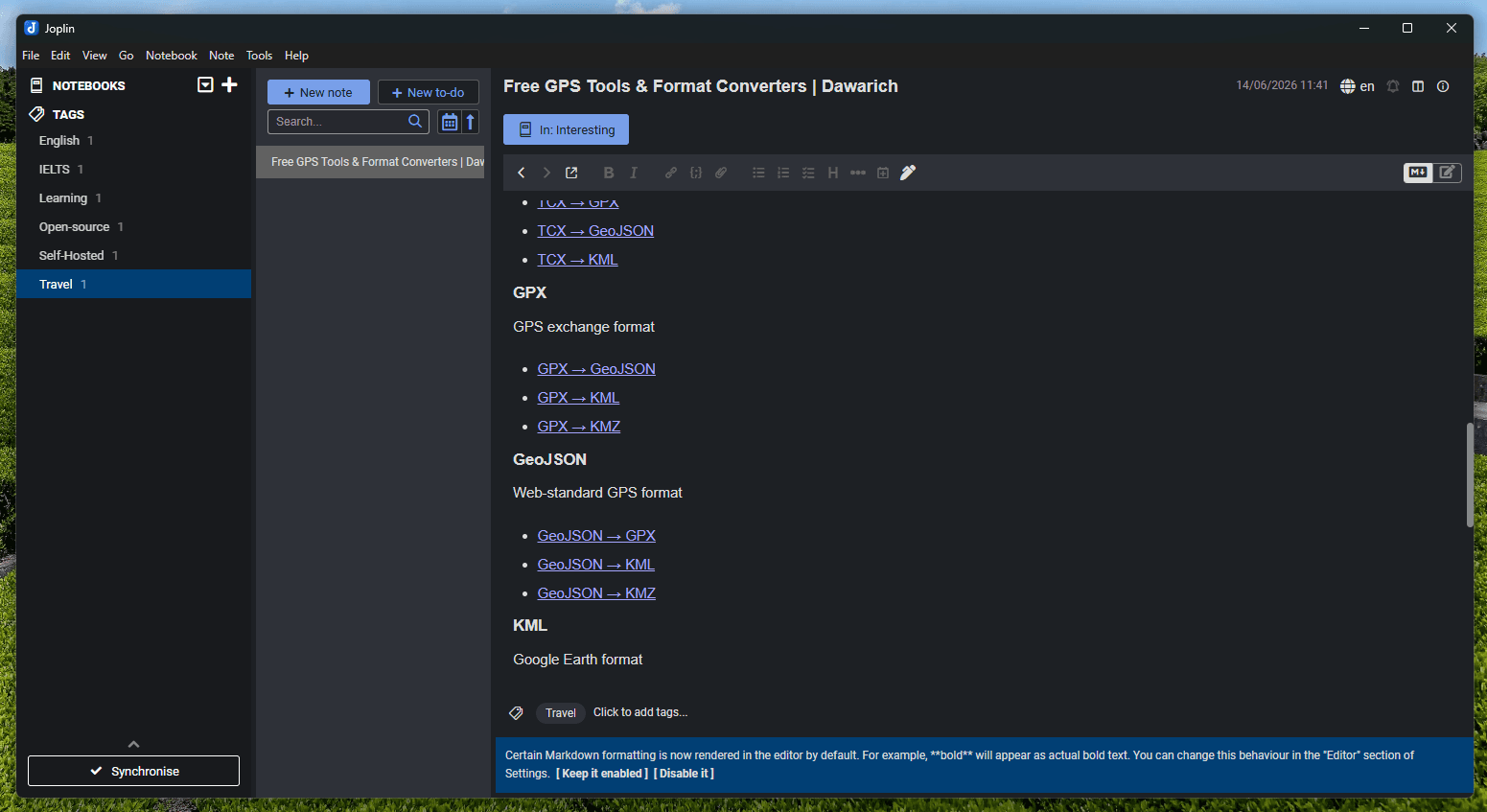
Joplin is the note-taking app I actually stuck with. It’s a fully open-source, end-to-end encrypted note and to-do app with a self-hosted sync server (Joplin Server), Markdown-first editing, notebooks, tags, attachments, and apps for every platform, desktop, iOS, Android, terminal, and web clipper.
I’ve gone through a few note apps before landing here. I used Memos for a long time as a fleeting-thought scratchpad, and Siyuan as a block-based knowledge base. Both are genuinely great, but for the way I actually work (long-form writing, structured notebooks, web clippings, and a single trusted source of truth across devices), Joplin just fit better. Plain Markdown files, no proprietary block model, and sync that I fully control.
Why I love it: Markdown-native, end-to-end encrypted sync, brilliant web clipper, and the mobile apps don’t feel like an afterthought. Importing from Evernote, Obsidian, or plain Markdown is painless.
Honest con: The editor isn’t block-based, so if you want Notion-style drag-and-drop blocks, this isn’t that. It’s a notes app, not a database.
Self-host difficulty: Easy. Joplin Server runs as a single Docker container behind a reverse proxy.
9. Memos
Category: Quick Notes / Micro-journaling (used before)
GitHub: usememos/memos
Memos is a privacy-first, self-hosted note-taking tool designed for quick, fleeting thoughts, like a private Twitter for your brain. You write short memos, tag them, and they’re stored on your server. It also supports Markdown, images, and has a clean timeline view.
I ran Memos for a long stretch as a daily scratchpad and private micro-blog, and it’s genuinely excellent at what it does. I’ve since consolidated my notes into Joplin so I have one trusted source of truth, but if all you want is a private “thinking out loud” feed, Memos is still one of the best in the category.
Why I love it: It fills the gap between “I want to tweet this” and “I need a full note.” Perfect for thinking out loud privately.
Honest con: Not designed for long-form or structured notes, if you need that, reach for Joplin or Siyuan instead.
Self-host difficulty: Easy. Single binary or Docker.
10. Siyuan
Category: Knowledge Base / Note-taking (used before)
GitHub: siyuan-note/siyuan
Siyuan is a privacy-first, local-first knowledge base and note-taking app with full block-level editing, backlinks, graph view, and powerful search. It’s closer to Obsidian than Notion in philosophy, your data is yours, stored in a local database, with optional self-hosted sync.
I used Siyuan for a good while when I wanted something more structured and block-based than plain Markdown. It’s genuinely impressive software, especially the query system. In the end I moved to Joplin because plain Markdown files and a simpler model suited my workflow better, but if you want a true Notion/Obsidian-style block editor that you fully self-host, Siyuan is one of the best options out there.
Why I love it: Full privacy, powerful linking system, excellent mobile apps, and a self-hosted sync option that means your notes never touch a third-party server.
Honest con: The learning curve is steeper than simpler note apps. The block editor takes some getting used to.
Self-host difficulty: Easy. Desktop app with built-in server, or Docker for the sync server.
11. Paperless-ngx
Category: Document Management
GitHub: paperless-ngx/paperless-ngx
Paperless-ngx scans, OCRs, tags, and archives every document I throw at it: contracts, invoices, receipts, ID scans, all of it searchable by content, not just by filename. I even set up a dedicated email inbox that feeds documents straight into it automatically, so paperwork gets archived without me touching anything.
I used Papra for a while before this. It wasn’t bad, but Paperless-ngx just does more and feels smoother day to day. Better OCR, a more mature tagging and workflow system, and a much bigger community behind it. Switching over ended up being one of the easier migrations on this list.
Why I love it: Full-text search across every document I own. Automatic tagging rules mean most documents file themselves. Email ingestion means I barely have to think about it.
Honest con: The Docker Compose stack is a bit heavier than a single container. You’re running a web server, database, OCR service (Tika), and PDF processor (Gotenberg) together.
Self-host difficulty: Medium. Multi-container stack, but well documented.
12. Coolify
Category: Deployment / PaaS Platform
GitHub: coollabsio/coolify
Coolify is a self-hosted Heroku/Railway/Render alternative. It lets you deploy apps, databases, and services on your own VPS with a clean UI. Git push to deploy, automatic SSL, Docker support, database provisioning (Postgres, MySQL, Redis), and a beautiful dashboard.
I use Coolify to deploy side projects and internal tools without paying per-seat cloud pricing. It’s one of the most impressively built open-source projects I’ve come across.
Why I love it: The UI rivals commercial PaaS platforms. Git integration is seamless. One-click database creation. It’s genuinely reduced my infrastructure management time significantly.
Honest con: Requires a fairly beefy server if you’re running many services. 2GB RAM is the practical minimum; 4GB+ is more comfortable.
Self-host difficulty: Medium. The setup script handles most of it, but you need to understand server basics.
13. Postiz
Category: Social Media Scheduling
GitHub: gitroomhq/postiz-app
Postiz is a self-hosted alternative to Buffer or Hootsuite. Connect your social accounts, write a post once, and schedule it out across platforms from one calendar view. I use it to plan and queue up posts for my own content without paying a per-account monthly fee.
Why I love it: One dashboard for scheduling instead of juggling native composer tools across five different apps. No per-account pricing tiers.
Honest con: The full stack now pulls in Temporal and Elasticsearch behind the scenes, so it’s heavier to run than it looks from the outside. Budget more RAM than you’d expect for what looks like a simple scheduling tool.
Self-host difficulty: Medium. Docker Compose stack with several supporting containers.
14. Rybbit
Category: Web Analytics
GitHub: rybbit-io/rybbit
Rybbit is a privacy-friendly, cookieless web analytics platform, and the tool I moved to after running Umami for a long time. Umami was solid, but Rybbit felt like a proper step up: richer dashboards, session-level insights, and a UI that’s more advanced overall while still keeping visitor data off Google’s servers.
I run it on this site now. Pageviews, referrers, devices, countries, custom events, all the analytics I actually check day to day, without a cookie banner.
Why I love it: More advanced than Umami without giving up the privacy-first approach. The dashboard gives me a clearer picture of visitor behaviour, not just raw numbers.
Honest con: Because it’s newer than Umami, the ecosystem and community are still growing. Documentation is good, but you’ll occasionally check GitHub issues for edge cases.
Self-host difficulty: Easy. Docker Compose stack, with ClickHouse as the backing analytics database.
15. ClickHouse
Category: Analytics Database
GitHub: ClickHouse/ClickHouse
ClickHouse is a column-oriented database built for analytics workloads. It’s blindingly fast for aggregation queries across billions of rows, the kind of thing that would take minutes in PostgreSQL takes milliseconds here.
It’s what powers Rybbit under the hood, and I also lean on it directly for other event tracking and analytics pipelines. If you’re building any kind of analytics feature into your product, or running a data-heavy reporting system, it’s worth knowing.
Why I love it: The query speed is genuinely jaw-dropping. Real-time analytics that would be expensive on managed cloud services become free when self-hosted.
Honest con: It’s not a general-purpose database. Don’t use it for transactional workloads, use Postgres for that. ClickHouse is specifically for analytical queries.
Self-host difficulty: Medium. Requires understanding of columnar databases and query design.
16. Dawarich
Category: Location History / Timeline Tracking
GitHub: Freika/dawarich
Dawarich is a self-hosted replacement for Google Maps Timeline. It quietly ingests your location data from your phone (via Overland, GPSLogger, or an Owntracks-compatible client), builds a beautiful map of everywhere you’ve been, and gives you stats on countries, cities, distance travelled, and yearly retrospectives, all without handing your movement history to Google.
I’ve always loved the Google Timeline feature, but giving Google a minute-by-minute record of my life was never sitting right with me. Dawarich gives me the same “where was I last March?” magic, except the data lives on my own server.
Why I love it: A genuine, full-featured Google Timeline alternative. Heatmaps, visits, trips, and country/city stats out of the box. Imports your old Google Takeout data so you don’t lose history.
Honest con: You need a battery-friendly logger app running on your phone to feed it data. Once that’s dialled in, it just works.
Self-host difficulty: Medium. Docker Compose stack with Postgres + PostGIS, plus phone-side logger configuration.
17. Linkwarden
Category: Bookmark Manager
GitHub: linkwarden/linkwarden
Linkwarden is a self-hosted bookmark manager with a genuinely important feature: it archives a local copy of every page you bookmark. So when a link dies in five years, your saved content is still there. You can organise bookmarks into collections, tag them, add notes, and share collections publicly.
It replaced Raindrop for me. The archiving feature alone makes it worth running.
Why I love it: The archiving is what sets it apart from every other bookmark tool. Your saved links actually stay saved, forever.
Honest con: The archive storage can grow quickly if you’re bookmarking media-heavy pages. Plan your storage accordingly.
Self-host difficulty: Easy. Docker Compose with PostgreSQL.
18. Audiobookshelf
Category: Audiobook & Podcast Library
GitHub: advplyr/audiobookshelf
Audiobookshelf is a self-hosted server for your audiobook and podcast collection. It tracks your listening progress across devices, streams to mobile apps (iOS and Android), supports multiple users, and handles metadata beautifully. The UI is clean and the mobile apps feel genuinely polished.
Why I love it: My audiobook library, my progress tracking, my server. No Audible subscription required. The podcast management is a nice bonus.
Honest con: You need to own or download your audiobooks to use it (it doesn’t source content for you). Works best if you already have a collection.
Self-host difficulty: Easy. Straightforward Docker setup.
19. Bitwarden / Vaultwarden
Category: Password Manager
GitHub: dani-garcia/vaultwarden
I run Vaultwarden, an unofficial, lightweight Bitwarden-compatible server, and access it through the official Bitwarden clients (browser extensions, mobile apps, desktop). All my passwords, secure notes, and 2FA codes live on my own server. The Bitwarden clients are best-in-class, and Vaultwarden gives me all the premium features for free.
Why I love it: Official Bitwarden clients (which are excellent) pointing at my own server. Premium features unlocked. My password vault never leaves my control.
Honest con: Losing access to your Vaultwarden server without a backup is catastrophic, regular exports and backups are non-negotiable.
Self-host difficulty: Easy. Single Docker container. But treat the backup setup seriously.
20. Minecraft Server
Category: Game Server
GitHub: itzg/docker-minecraft-server
Not every self-hosted thing has to be serious, running my own Minecraft server is one of the most fun things on this list. I use the brilliant itzg/minecraft-server Docker image, which handles Vanilla, Paper, Spigot, Fabric, Forge, and modpacks with a single environment variable. Whitelist friends, pick a version, mount a world volume, and you’re done.
It replaces paid Realms and third-party hosts. Better performance, full control over plugins, mods, and backups, and it costs nothing on top of a VPS I’m already running.
Why I love it: Persistent world that’s online whenever friends want to play. Full mod and plugin freedom. Automated backups to object storage. And, honestly, it’s a great reminder that self-hosting isn’t only about productivity, it can just be fun.
Honest con: Modded servers can be RAM-hungry. Plan for at least 2 to 4 GB of RAM per server, more if you’re running heavy modpacks like All The Mods or RLCraft.
Self-host difficulty: Easy. itzg/minecraft-server is one of the most polished Docker images on this list, with brilliant docs.
Why I Self-Host
Three reasons:
1. Privacy. My photos, notes, bookmarks, location history, and passwords are on hardware I control. I’m not the product.
2. Cost. Google Photos, YNAB, Uptime Robot, Raindrop, 1Password, Plausible, Realms, add them up and it’s £50 to £100+/month. One VPS runs most of this stack for £10/month.
3. Learning. Self-hosting has taught me more about infrastructure, networking, and databases than any course. It’s a hands-on lab that actually matters.
Frequently Asked Questions
-
What do I need to start self-hosting? A VPS (Virtual Private Server) from providers like Hetzner, DigitalOcean, or Contabo. A domain name is helpful but not required. Basic familiarity with the terminal. Most apps on this list have excellent documentation.
-
What’s the easiest app to start with? Uptime Kuma, ntfy, or Vaultwarden. All three are single-container Docker deployments that take under 10 minutes to set up.
-
Do I need a home server or can I use a VPS? Either works. A VPS is simpler to start with (no port forwarding, always online). A home server (like an old PC or a Raspberry Pi) is cheaper long-term if you already have the hardware.
-
Is self-hosting secure? It can be, if you keep software updated, use strong passwords, put services behind a reverse proxy (Nginx, Caddy, or Coolify handles this), and enable 2FA where available. Don’t expose services to the internet without these basics in place.
-
Do these apps have mobile support? Yes, Jellyfin, Immich, Joplin, Memos, Siyuan, Audiobookshelf, Dawarich (via Overland/GPSLogger), ntfy, and Bitwarden all have official or community iOS/Android apps.
-
Which one gives the most value immediately? Immich. If you’re paying for Google Photos storage or worried about photo privacy, spinning up Immich and pointing your phone at it is one of the highest-impact self-hosting moves you can make.
I update this post whenever I add something new to my stack, retire something, or find a significantly better alternative.
Related reading
You might also enjoy these