Guide
15 Best CMS for Next.js in 2026: The Definitive Guide
Table of Contents

Choosing the right CMS for your Next.js project is one of the most important architectural decisions you’ll make. Pick the wrong one and you’re stuck with a clunky editing experience, painful migrations, and frustrated content teams. Pick the right one and everything just flows — developers ship faster, editors publish confidently, and your site performs beautifully.
I’ve spent years building Next.js applications with different content management systems. Some were brilliant. Some made me want to throw my laptop out the window. This guide is the result of that experience — a no-nonsense comparison of the 15 best CMS platforms that actually work well with Next.js in 2026.
Whether you’re building a personal blog, a marketing site, or a large-scale enterprise application, there’s a CMS on this list that fits your needs. Let’s find it.
Quick Comparison Table
Before we dive deep, here’s an at-a-glance comparison of all 15 CMS options:
| CMS | Type | Free Tier | Best For | Next.js Support |
|---|---|---|---|---|
| Sanity | Headless | ✅ Generous | Structured content, flexibility | |
| Payload | Headless (Self-hosted) | ✅ Open-source | Full control, TypeScript-first | |
| Strapi | Headless (Self-hosted) | ✅ Open-source | API-first projects | |
| Contentful | Headless | ✅ Limited | Enterprise, multi-channel | |
| Storyblok | Headless | ✅ Generous | Visual editing | |
| TinaCMS | Git-backed | ✅ Open-source | Markdown/MDX sites | |
| Hygraph | Headless (GraphQL) | ✅ Limited | GraphQL-native projects | |
| Prismic | Headless | ✅ Generous | Marketing sites | |
| DatoCMS | Headless | ✅ Limited | Image-heavy sites | |
| Directus | Headless (Self-hosted) | ✅ Open-source | Database-first approach | |
| Keystatic | Git-backed | ✅ Open-source | Simple content sites | |
| WordPress (Headless) | Traditional/Headless | ✅ Open-source | Existing WP ecosystems | |
| Ghost | Headless | ✅ Open-source | Blogs, publications | |
| Butter CMS | Headless | ✅ Limited | Marketing teams | |
| Builder.io | Visual Headless | ✅ Limited | No-code visual editing |
Now let’s break each one down in detail.
What Makes a Good CMS for Next.js?
Before jumping into the list, it’s worth understanding what actually matters when choosing a CMS for Next.js. Not every CMS plays well with Next.js’s architecture, and the wrong choice can create friction that slows your entire team down.
Here’s what I look for:
API Quality — Next.js thrives on data fetching through getStaticProps, getServerSideProps, and the App Router’s server components. Your CMS needs clean, well-documented APIs (REST or GraphQL) that make fetching content straightforward.
TypeScript Support — If you’re building with Next.js in 2026, you’re almost certainly using TypeScript. A CMS that generates types or provides typed SDKs saves enormous amounts of time.
Preview & Draft Support — Next.js has excellent draft mode support. Your CMS should integrate with it so editors can preview unpublished content without complex workarounds.
Content Modelling Flexibility — Rigid content structures lead to workarounds. The best CMS platforms let you model content exactly how your application needs it.
Performance — Your CMS shouldn’t be a bottleneck. Fast API responses, CDN delivery, and efficient caching matter, especially for statically generated pages.
Developer Experience — Documentation quality, SDK design, and community support all affect how quickly you can build and maintain your project.
1. Sanity
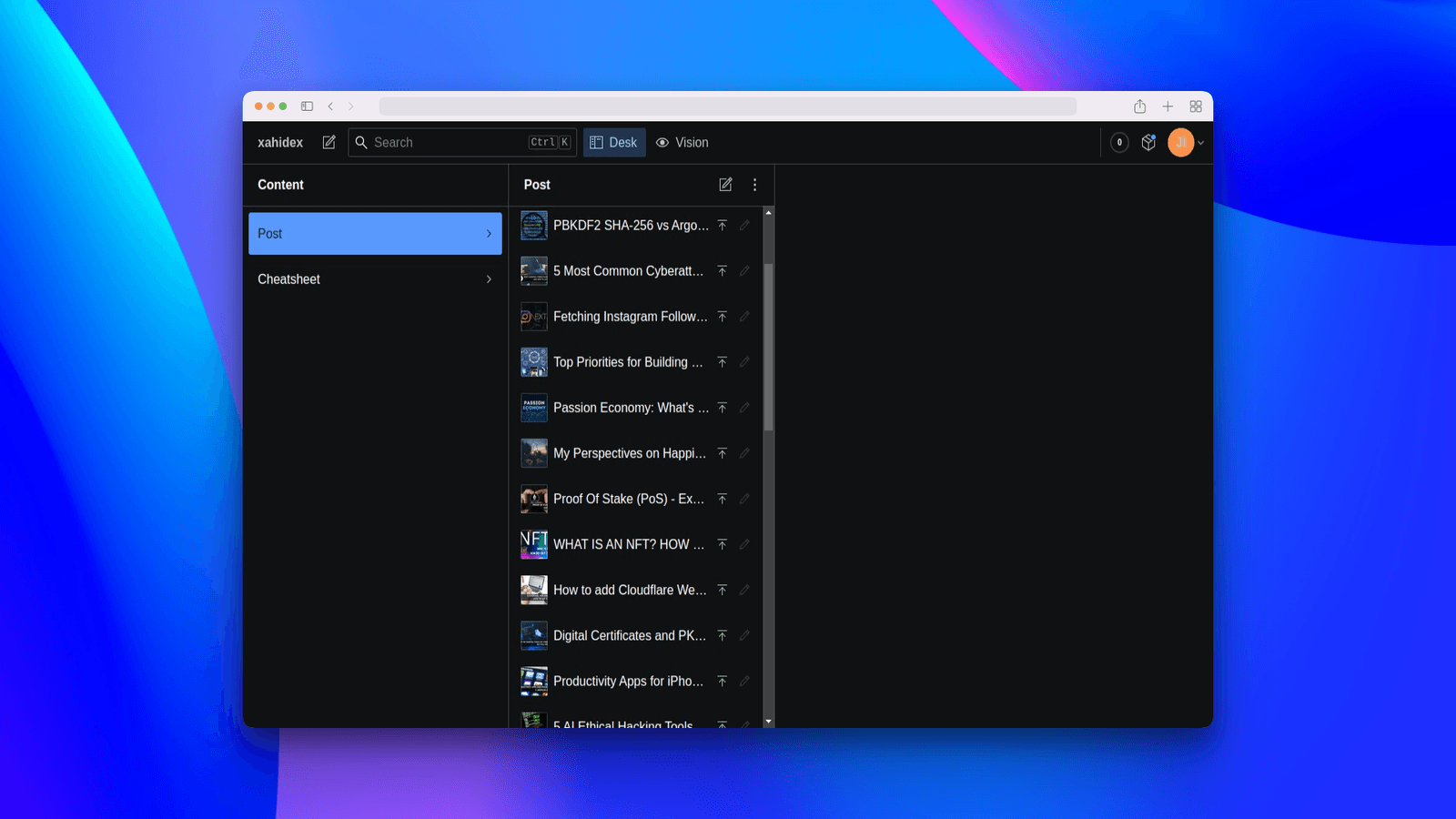
Best for: Teams that want maximum flexibility and real-time collaboration
Sanity is my top recommendation for most Next.js projects. It’s not just a CMS — it’s a content platform that treats your content as structured data. The combination of its real-time API, customizable editing studio, and excellent Next.js integration makes it hard to beat.
What really sets Sanity apart is Sanity Studio — a fully customizable, open-source editing environment built with React. You can embed it directly in your Next.js app, extend it with custom components, and tailor it to exactly what your content team needs.
Key Features
- GROQ query language — More powerful and flexible than REST for content queries
- Real-time collaboration — Multiple editors can work simultaneously (like Google Docs)
- Portable Text — A JSON-based rich text format that gives you complete control over rendering
- Content Lake — Hosted infrastructure that scales automatically
- Image pipeline — Built-in image transformations and optimizations
- Official Next.js toolkit —
next-sanitypackage with draft mode, visual editing, and more
Next.js Integration Example
// lib/sanity.ts
import { createClient } from 'next-sanity';

export const client = createClient({
  projectId: process.env.NEXT_PUBLIC_SANITY_PROJECT_ID!,
  dataset: 'production',
  apiVersion: '2026-04-01',
  useCdn: true,
});

// app/blog/[slug]/page.tsx
import { client } from '@/lib/sanity';

interface BlogPost {
  title: string;
  slug: string;
  body: any[];
  publishedAt: string;
}

export default async function BlogPage({ params }: { params: { slug: string } }) {
  const post = await client.fetch<BlogPost>(
    `*[_type == "post" && slug.current == $slug][0]{
      title,
      "slug": slug.current,
      body,
      publishedAt
    }`,
    { slug: params.slug }
  );

  return (
    <article>
      <h1>{post.title}</h1>
      {/* Render portable text content */}
    </article>
  );
}
Pricing
| Plan | Price | Included |
|---|---|---|
| Free | $0/month | 100K API requests, 1GB assets, 3 users |
| Growth | $15/user/month | 1M API requests, 50GB assets |
| Enterprise | Custom | Unlimited everything, SLA, SSO |
Pros & Cons
Pros:
- Incredible flexibility in content modelling
- Real-time collaboration is genuinely excellent
- GROQ is faster to learn than GraphQL for most queries
- Sanity Studio can be embedded in your Next.js app
- Generous free tier for small projects
Cons:
- GROQ is a proprietary query language (vendor lock-in concern)
- Can be overwhelming for simple blog setups
- Pricing scales with usage, which can surprise you
2. Payload CMS
Best for: Developers who want full control with a TypeScript-first CMS
Payload has become one of the most exciting CMS options for Next.js developers, especially since version 3.0 which runs natively inside Next.js. Yes, you read that right — Payload lives inside your Next.js app as a dependency, not as a separate service.
This is a game-changer. Your CMS admin panel, your API, and your frontend all share the same Next.js application. No separate servers, no CORS issues, no deployment complexity.
Key Features
- Runs inside Next.js — Not alongside it, literally inside your app
- 100% TypeScript — Every config, hook, and field is fully typed
- Self-hosted — You own your data completely
- Admin UI auto-generated — From your config, no manual UI building
- Access control built-in — Row-level, field-level, and collection-level permissions
- Database agnostic — Supports MongoDB and Postgres
Next.js Integration Example
// payload.config.ts
import { buildConfig } from 'payload';
import { mongooseAdapter } from '@payloadcms/db-mongodb';
import { lexicalEditor } from '@payloadcms/richtext-lexical';

export default buildConfig({
  editor: lexicalEditor(),
  collections: [
    {
      slug: 'posts',
      fields: [
        { name: 'title', type: 'text', required: true },
        { name: 'slug', type: 'text', required: true, unique: true },
        { name: 'content', type: 'richText' },
        { name: 'publishedAt', type: 'date' },
        {
          name: 'author',
          type: 'relationship',
          relationTo: 'users',
        },
      ],
    },
  ],
  db: mongooseAdapter({ url: process.env.DATABASE_URI! }),
});

// app/blog/[slug]/page.tsx
import { getPayload } from 'payload';
import config from '@payload-config';

export default async function BlogPage({ params }: { params: { slug: string } }) {
  const payload = await getPayload({ config });

  const { docs } = await payload.find({
    collection: 'posts',
    where: { slug: { equals: params.slug } },
  });

  const post = docs[0];

  return (
    <article>
      <h1>{post.title}</h1>
      {/* Render rich text content */}
    </article>
  );
}
Pricing
| Plan | Price | Included |
|---|---|---|
| Open-source | Free forever | Full features, self-hosted |
| Payload Cloud | From $35/month | Managed hosting, backups, CDN |
| Enterprise | Custom | Priority support, SLA |
Pros & Cons
Pros:
- Runs natively inside Next.js (no separate CMS server)
- 100% TypeScript — best DX in the CMS space
- Self-hosted means you own your data
- No vendor lock-in — it’s open-source (MIT license)
- Built-in auth, access control, and file uploads
Cons:
- Self-hosting requires DevOps knowledge
- Smaller community than Sanity or Strapi (but growing fast)
- Admin UI customization requires React knowledge
- Resource-heavy for simple content sites
3. Strapi
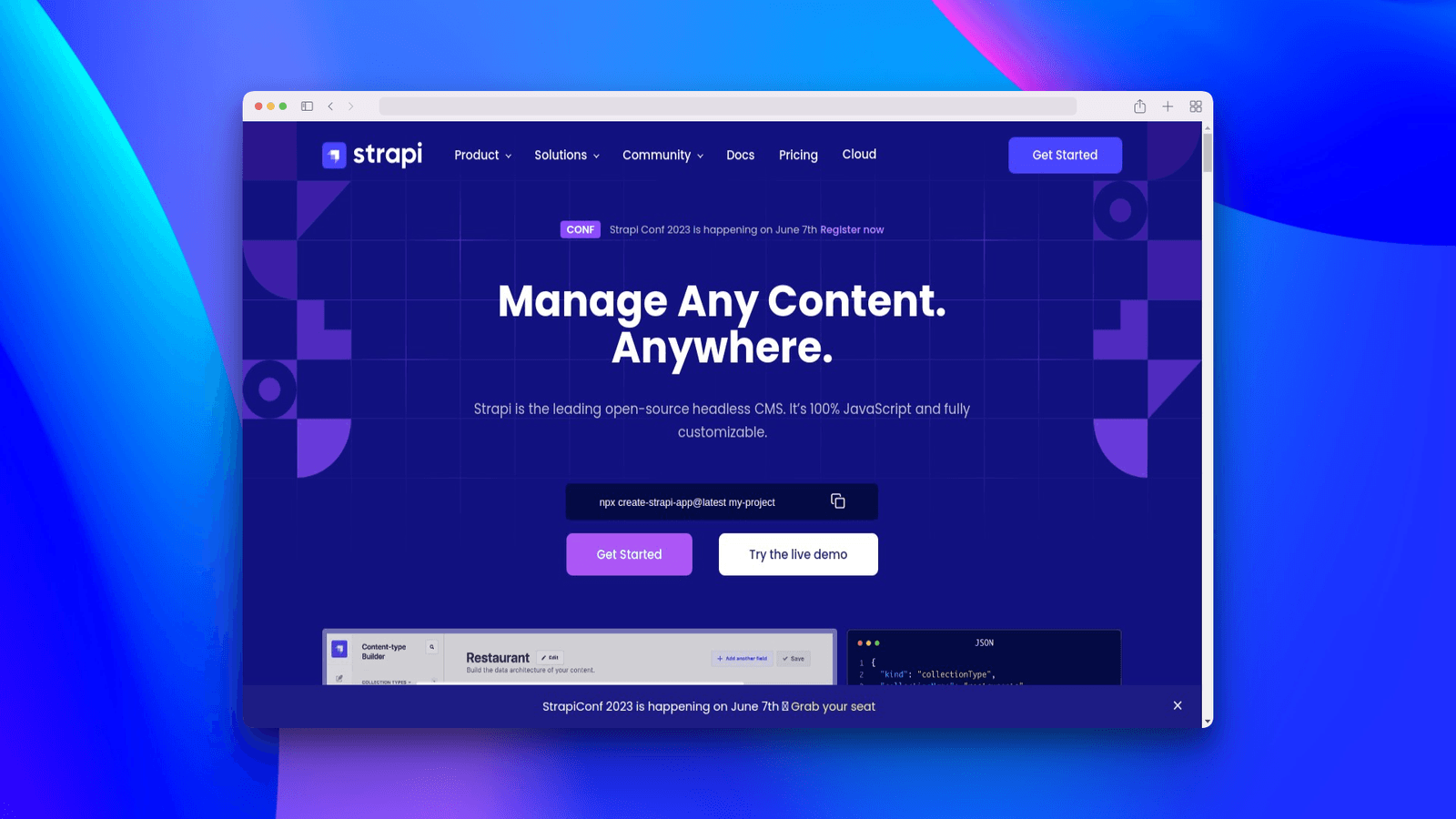
Best for: API-first projects that need a self-hosted, open-source CMS
Strapi is the most popular open-source headless CMS, and for good reason. It gives you a full admin panel, REST and GraphQL APIs, and complete control over your content structure — all out of the box.
Strapi 5 brought significant improvements including a new document service API, improved TypeScript support, and better performance. It’s a mature, battle-tested solution that works well for teams of all sizes.
Key Features
- Auto-generated REST & GraphQL APIs — No manual endpoint creation
- Visual content type builder — Create schemas without code
- Plugin ecosystem — Extend functionality with community plugins
- Role-based access control — Granular permissions for content teams
- i18n built-in — Multi-language content management
- Media library — Built-in asset management
Next.js Integration Example
// lib/strapi.ts
const STRAPI_URL = process.env.STRAPI_URL || 'http://localhost:1337';

export async function fetchAPI<T>(path: string): Promise<T> {
  const res = await fetch(`${STRAPI_URL}/api${path}`, {
    headers: {
      Authorization: `Bearer ${process.env.STRAPI_API_TOKEN}`,
    },
    next: { revalidate: 60 },
  });

  if (!res.ok) throw new Error(`Strapi API error: ${res.statusText}`);
  const data = await res.json();
  return data.data;
}

// app/blog/[slug]/page.tsx
import { fetchAPI } from '@/lib/strapi';

interface StrapiPost {
  id: number;
  attributes: {
    title: string;
    content: string;
    slug: string;
    publishedAt: string;
  };
}

export default async function BlogPage({ params }: { params: { slug: string } }) {
  const posts = await fetchAPI<StrapiPost[]>(
    `/posts?filters[slug][$eq]=${params.slug}&populate=*`
  );

  const post = posts[0];

  return (
    <article>
      <h1>{post.attributes.title}</h1>
      <div dangerouslySetInnerHTML={{ __html: post.attributes.content }} />
    </article>
  );
}
Pricing
| Plan | Price | Included |
|---|---|---|
| Community (Self-hosted) | Free | Full features, unlimited everything |
| Strapi Cloud | From $29/month | Managed hosting, auto-scaling |
| Enterprise | Custom | SSO, audit logs, premium support |
Pros & Cons
Pros:
- Most mature open-source headless CMS
- Visual content type builder (great for non-technical users)
- Large community and plugin ecosystem
- Both REST and GraphQL out of the box
- Self-hosted = full data ownership
Cons:
- Self-hosting requires server management
- Can feel heavy for simple projects
- Strapi 5 migration from v4 can be complex
- GraphQL plugin adds overhead
4. Contentful
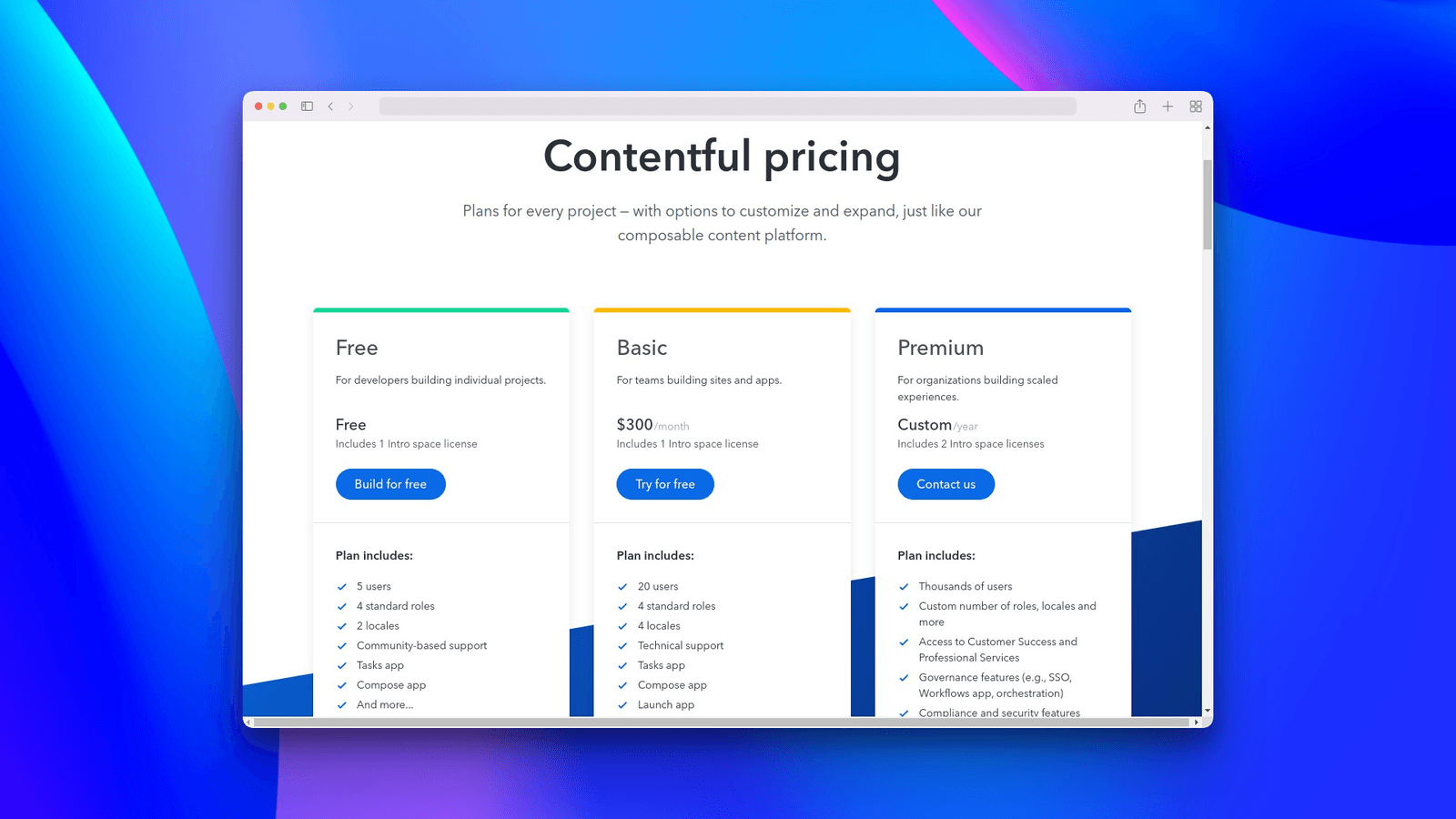
Best for: Enterprise teams needing multi-channel content delivery
Contentful is one of the original headless CMS platforms and remains a top choice for enterprise applications. It pioneered the “content infrastructure” concept — treating content as an API that can feed any frontend, not just your website.
If you’re building a Next.js application that also needs to serve content to mobile apps, kiosks, or other channels, Contentful’s multi-channel approach is invaluable.
Key Features
- Composable content platform — Build content models that work across channels
- Content Delivery & Preview APIs — Separate APIs for production and draft content
- Rich text editor — Embeddable entries and assets within rich text fields
- Environments — Git-like branching for content and schema changes
- App Framework — Build custom apps for the Contentful web app
- Excellent SDKs — Well-maintained JavaScript/TypeScript SDK
Next.js Integration Example
// lib/contentful.ts
import { createClient } from 'contentful';

export const contentfulClient = createClient({
  space: process.env.CONTENTFUL_SPACE_ID!,
  accessToken: process.env.CONTENTFUL_ACCESS_TOKEN!,
});

export const previewClient = createClient({
  space: process.env.CONTENTFUL_SPACE_ID!,
  accessToken: process.env.CONTENTFUL_PREVIEW_TOKEN!,
  host: 'preview.contentful.com',
});

// app/blog/[slug]/page.tsx
import { contentfulClient } from '@/lib/contentful';
import { documentToReactComponents } from '@contentful/rich-text-react-renderer';

export default async function BlogPage({ params }: { params: { slug: string } }) {
  const entries = await contentfulClient.getEntries({
    content_type: 'blogPost',
    'fields.slug': params.slug,
  });

  const post = entries.items[0].fields;

  return (
    <article>
      <h1>{post.title as string}</h1>
      {documentToReactComponents(post.body as any)}
    </article>
  );
}
Pricing
| Plan | Price | Included |
|---|---|---|
| Free | $0/month | 25K API calls, 5 users, 1 space |
| Basic | $300/month | Larger limits, 20 users |
| Enterprise | Custom | Unlimited, SSO, SLA |
Pros & Cons
Pros:
- Battle-tested at enterprise scale (used by major brands)
- Excellent documentation and SDK quality
- Environment branching for safe schema migrations
- Strong multi-channel content delivery
- Great editor experience
Cons:
- Expensive compared to alternatives
- Free tier is quite limited
- Content modelling can feel restrictive for complex structures
- Vendor lock-in is a real concern at this price point
5. Storyblok
Best for: Teams that need visual editing with a headless CMS
Storyblok bridges the gap between headless CMS flexibility and traditional CMS visual editing. Its real-time visual editor lets content teams see exactly what they’re building, while developers maintain full control over the frontend code.
This is the CMS I recommend when content editors are the primary users and they need to build pages visually without developer involvement.
Key Features
- Visual Editor — True WYSIWYG editing on your actual Next.js site
- Component-based architecture — Mirrors how you build React/Next.js apps
- Block-based content — Nestable, reusable content blocks
- Asset management — Built-in image optimization and CDN
- Pipelines & releases — Schedule and batch content changes
- Multi-language — Built-in internationalisation support
Next.js Integration Example
// lib/storyblok.ts
import { storyblokInit, apiPlugin } from '@storyblok/react/rsc';

storyblokInit({
  accessToken: process.env.STORYBLOK_API_TOKEN,
  use: [apiPlugin],
});

// app/blog/[slug]/page.tsx
import { getStoryblokApi, StoryblokStory } from '@storyblok/react/rsc';

export default async function BlogPage({ params }: { params: { slug: string } }) {
  const storyblokApi = getStoryblokApi();
  const { data } = await storyblokApi.get(`cdn/stories/blog/${params.slug}`, {
    version: 'published',
  });

  return <StoryblokStory story={data.story} />;
}
Pricing
| Plan | Price | Included |
|---|---|---|
| Community | Free | 1 space, 1 user, 25K API calls |
| Entry | €99/month | 5 users, custom roles, 250K API calls |
| Business | €449/month | Unlimited users, workflows, 2.5M API calls |
| Enterprise | Custom | SLA, SSO, dedicated support |
Pros & Cons
Pros:
- Best visual editor in the headless CMS space
- Component-based approach matches Next.js architecture perfectly
- Excellent performance with built-in CDN
- Generous community plan for small projects
- Strong Next.js integration with official SDK
Cons:
- Visual editor adds complexity to initial setup
- Component mapping requires upfront planning
- Pricing jumps significantly between tiers
- Learning curve for the Storyblok-specific concepts
6. TinaCMS
Best for: Markdown/MDX-based sites that want visual editing with Git-backed content
TinaCMS takes a fundamentally different approach to content management. Instead of storing your content in a database, it stores everything in your Git repository — typically as Markdown or MDX files. But unlike plain file-based content, Tina gives you a visual editing interface and a GraphQL API on top of your files.
If you’re already using MDX for your content (like this site does), TinaCMS is the natural choice. You get visual editing without giving up the simplicity and version control of file-based content.
Key Features
- Git-backed content — Content lives in your repository as Markdown/MDX
- Visual editing — Edit content visually on your live site
- Auto-generated GraphQL API — Query your Markdown files like a database
- Type-safe schema — Define content types with full TypeScript support
- Open-source — MIT licensed, self-hostable
- Media management — Integrated with Git or cloud storage
Next.js Integration Example
// tina/config.ts
import { defineConfig } from 'tinacms';

export default defineConfig({
  branch: process.env.NEXT_PUBLIC_TINA_BRANCH || 'main',
  clientId: process.env.NEXT_PUBLIC_TINA_CLIENT_ID!,
  token: process.env.TINA_TOKEN!,
  build: {
    outputFolder: 'admin',
    publicFolder: 'public',
  },
  media: { tina: { mediaRoot: 'uploads', publicFolder: 'public' } },
  schema: {
    collections: [
      {
        name: 'post',
        label: 'Blog Posts',
        path: 'content/blog',
        format: 'mdx',
        fields: [
          { type: 'string', name: 'title', label: 'Title', isTitle: true, required: true },
          { type: 'datetime', name: 'date', label: 'Date' },
          { type: 'rich-text', name: 'body', label: 'Body', isBody: true },
        ],
      },
    ],
  },
});

// app/blog/[slug]/page.tsx
import { client } from '@/tina/__generated__/client';

export default async function BlogPage({ params }: { params: { slug: string } }) {
  const { data } = await client.queries.post({ relativePath: `${params.slug}.mdx` });

  return (
    <article>
      <h1>{data.post.title}</h1>
      {/* Render TinaMarkdown content */}
    </article>
  );
}
Pricing
| Plan | Price | Included |
|---|---|---|
| Self-hosted | Free | Open-source, unlimited everything |
| Tina Cloud Starter | Free | 2 users, basic features |
| Tina Cloud Team | $29/user/month | Unlimited users, editorial workflows |
| Enterprise | Custom | SSO, dedicated support |
Pros & Cons
Pros:
- Content stays in your Git repo (no external database)
- Visual editing for Markdown/MDX (unique feature)
- Auto-generated GraphQL API for your files
- Open-source and self-hostable
- Perfect for developer blogs and documentation sites
Cons:
- Git-based approach doesn’t scale for very large content volumes
- Limited to file-based content (not great for relational data)
- Tina Cloud required for non-technical editor access
- GraphQL-only (no REST option)
7. Hygraph (formerly GraphCMS)
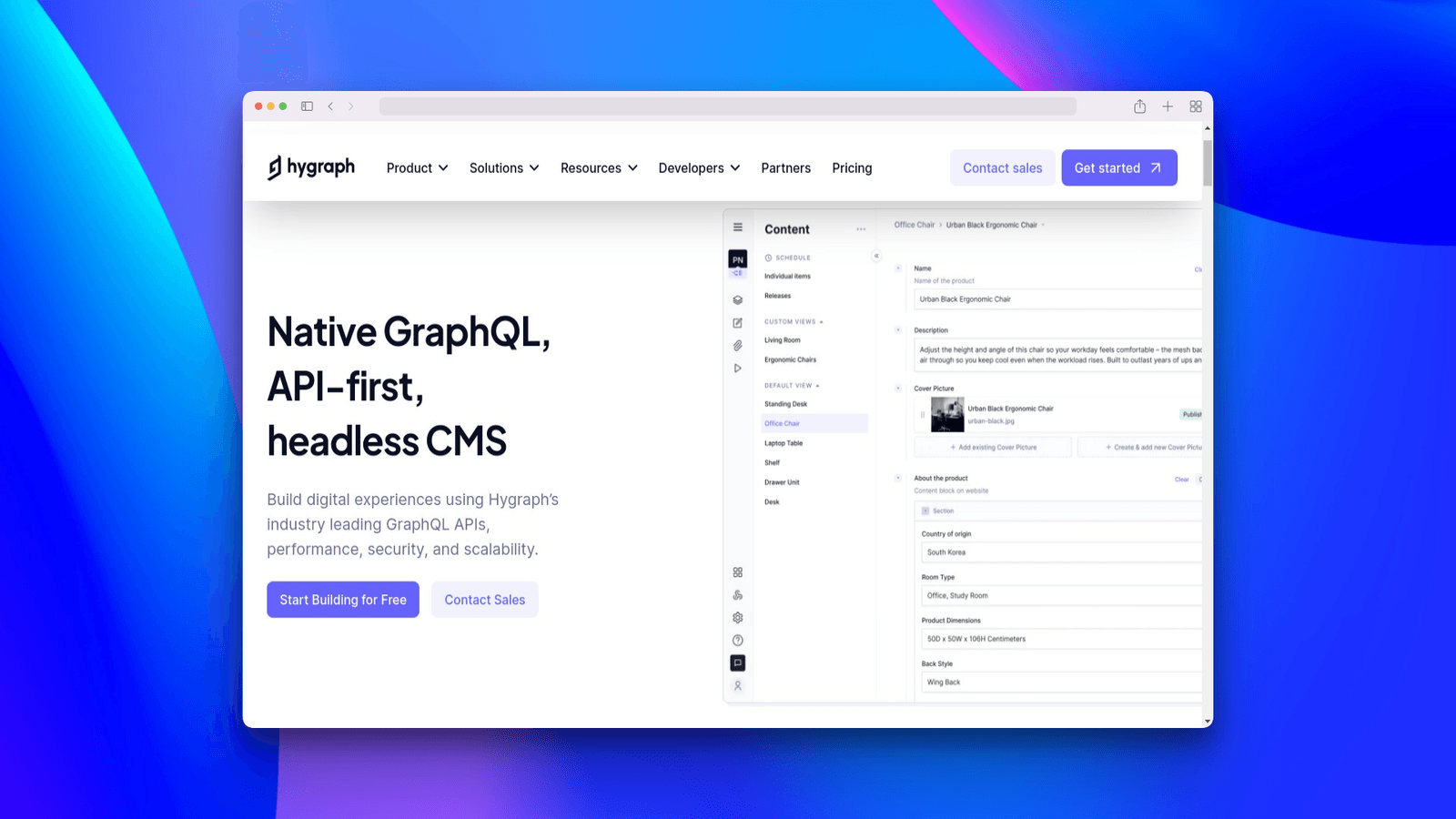
Best for: Teams that love GraphQL and need a content federation layer
Hygraph is the GraphQL-native headless CMS. If your team is already invested in GraphQL, Hygraph feels like a natural extension of your stack. Its content federation feature lets you combine content from multiple sources — your CMS, external APIs, databases — into a single GraphQL endpoint.
Key Features
- GraphQL-native — Everything is GraphQL, no REST workaround
- Content federation — Combine multiple data sources in one API
- UI extensions — Custom sidebar widgets and field extensions
- Localisation — Built-in multi-language support
- Scheduled publishing — Plan content releases in advance
- Webhooks — Trigger rebuilds and workflows on content changes
Next.js Integration Example
// lib/hygraph.ts
const HYGRAPH_ENDPOINT = process.env.HYGRAPH_ENDPOINT!;

export async function hygraphQuery<T>(query: string, variables?: Record<string, any>): Promise<T> {
  const res = await fetch(HYGRAPH_ENDPOINT, {
    method: 'POST',
    headers: {
      'Content-Type': 'application/json',
      Authorization: `Bearer ${process.env.HYGRAPH_TOKEN}`,
    },
    body: JSON.stringify({ query, variables }),
    next: { revalidate: 60 },
  });

  const json = await res.json();
  return json.data;
}

// app/blog/[slug]/page.tsx
import { hygraphQuery } from '@/lib/hygraph';

export default async function BlogPage({ params }: { params: { slug: string } }) {
  const { post } = await hygraphQuery<{ post: any }>(`
    query PostBySlug($slug: String!) {
      post(where: { slug: $slug }) {
        title
        content { html }
        publishedAt
        author { name avatar { url } }
      }
    }
  `, { slug: params.slug });

  return (
    <article>
      <h1>{post.title}</h1>
      <div dangerouslySetInnerHTML={{ __html: post.content.html }} />
    </article>
  );
}
Pricing
| Plan | Price | Included |
|---|---|---|
| Community | Free | 1M API ops/month, 2 seats |
| Professional | From €299/month | 5M API ops, 10 seats, roles |
| Enterprise | Custom | Unlimited, SLA, SSO |
Pros & Cons
Pros:
- Best-in-class GraphQL experience
- Content federation is unique and powerful
- Strong localisation support
- Good performance with global CDN
Cons:
- GraphQL-only (steep learning curve for some teams)
- Free tier is limited for production use
- Professional plan pricing is high for small teams
- Smaller community than Sanity or Strapi
8. Prismic
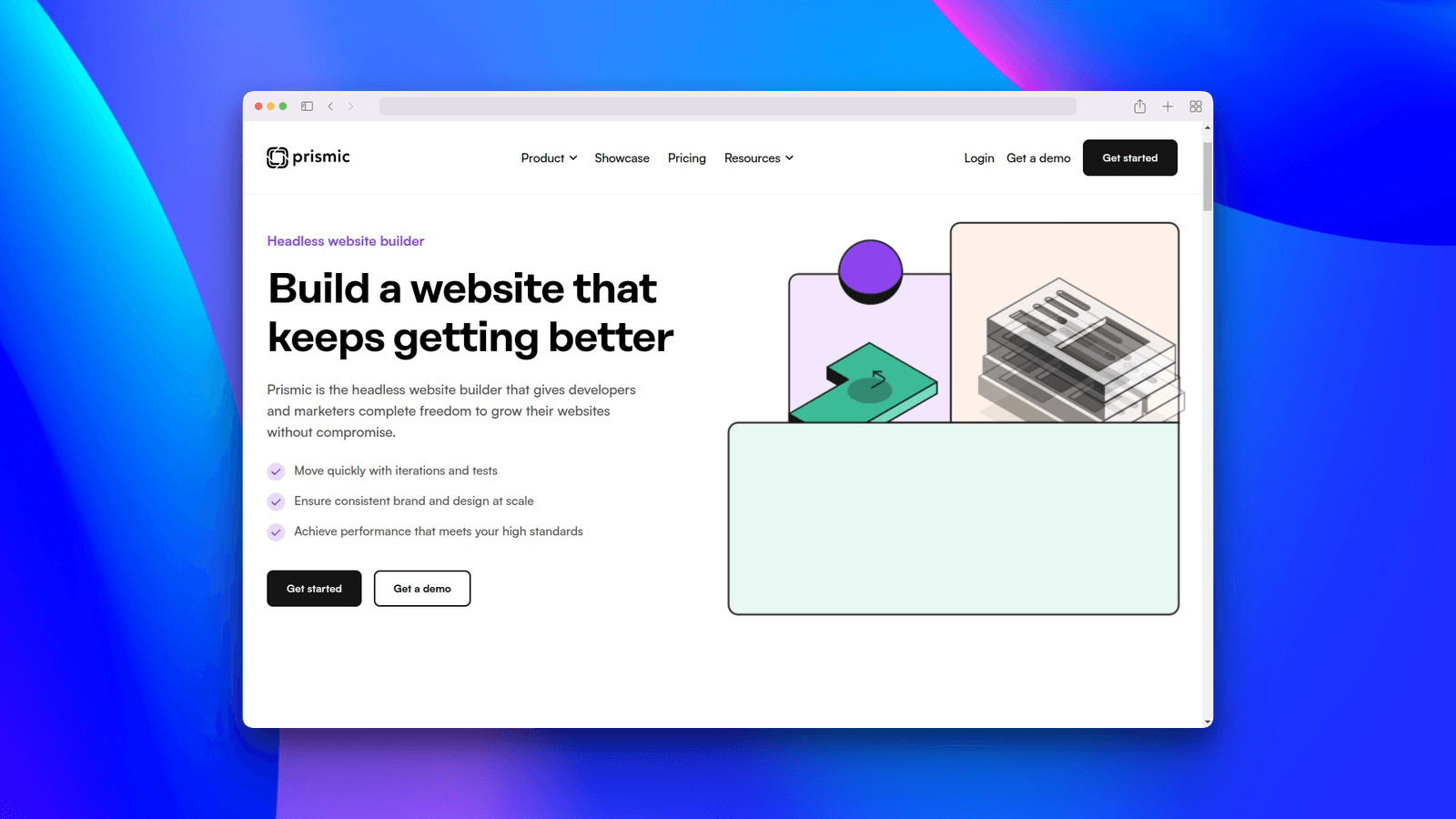
Best for: Marketing teams building page-builder-style websites
Prismic focuses on giving content teams the tools to build and manage marketing pages independently. Its Slice Machine approach lets developers create reusable content components (called Slices) that editors can assemble into pages — like building with LEGO bricks.
Key Features
- Slice Machine — Component-driven content modelling tool
- Page Builder — Editors assemble pages from pre-built slices
- Slice Simulator — Preview slices in isolation during development
- Scheduled publishing — Plan content releases
- A/B testing ready — Built-in experiment support
- Multi-language — Content localisation support
Next.js Integration Example
// prismicio.ts
import * as prismic from '@prismicio/client';
import * as prismicNext from '@prismicio/next';

export const repositoryName = process.env.NEXT_PUBLIC_PRISMIC_REPO!;

export const createClient = (config: prismicNext.CreateClientConfig = {}) => {
  const client = prismic.createClient(repositoryName, {
    accessToken: process.env.PRISMIC_ACCESS_TOKEN,
    ...config,
  });

  prismicNext.enableAutoPreviews({ client });
  return client;
};

// app/blog/[uid]/page.tsx
import { createClient } from '@/prismicio';
import { SliceZone } from '@prismicio/react';
import { components } from '@/slices';

export default async function BlogPage({ params }: { params: { uid: string } }) {
  const client = createClient();
  const page = await client.getByUID('blog_post', params.uid);

  return (
    <article>
      <h1>{prismic.asText(page.data.title)}</h1>
      <SliceZone slices={page.data.slices} components={components} />
    </article>
  );
}
Pricing
| Plan | Price | Included |
|---|---|---|
| Free | $0/month | 1 user, unlimited types, 100 documents |
| Starter | $7/user/month | Custom types, scheduled publishing |
| Small | $150/month | 10 users, A/B testing |
| Medium | $500/month | 50 users, premium support |
Pros & Cons
Pros:
- Slice Machine is an elegant approach to page building
- Great for marketing-heavy sites
- Good free tier for small projects
- Strong Next.js integration and documentation
- Slice Simulator speeds up development
Cons:
- Slice Machine adds initial setup complexity
- Less flexible than Sanity for complex data relationships
- Custom types have limitations
- Prismic query syntax has a learning curve
9. DatoCMS
Best for: Image-heavy websites and teams that need structured content with great media handling
DatoCMS stands out for its exceptional image handling and structured content modelling. If your Next.js site relies heavily on images — think portfolio sites, e-commerce, or media publications — DatoCMS’s built-in image optimization and responsive image support is hard to beat.
Key Features
- Advanced image API — Automatic responsive images, crops, and transformations
- Structured text — Flexible rich text with embedded records and blocks
- Real-time updates — Channel-based real-time content changes
- GraphQL API — Well-designed, auto-generated GraphQL endpoint
- Modular blocks — Build complex layouts with reusable blocks
- Environments — Safe content and schema migrations
Next.js Integration Example
// lib/datocms.ts
const DATOCMS_API_TOKEN = process.env.DATOCMS_API_TOKEN!;

export async function datocmsRequest<T>(query: string, variables?: Record<string, any>): Promise<T> {
  const res = await fetch('https://graphql.datocms.com/', {
    method: 'POST',
    headers: {
      'Content-Type': 'application/json',
      Authorization: `Bearer ${DATOCMS_API_TOKEN}`,
    },
    body: JSON.stringify({ query, variables }),
    next: { revalidate: 60 },
  });

  const json = await res.json();
  return json.data;
}

// app/blog/[slug]/page.tsx
import { datocmsRequest } from '@/lib/datocms';
import { Image } from 'react-datocms';

export default async function BlogPage({ params }: { params: { slug: string } }) {
  const { blogPost } = await datocmsRequest<any>(`
    query BlogPost($slug: String!) {
      blogPost(filter: { slug: { eq: $slug } }) {
        title
        content { value }
        coverImage { responsiveImage { src width height alt } }
      }
    }
  `, { slug: params.slug });

  return (
    <article>
      <Image data={blogPost.coverImage.responsiveImage} />
      <h1>{blogPost.title}</h1>
    </article>
  );
}
Pricing
| Plan | Price | Included |
|---|---|---|
| Free | $0/month | 300 records, 100MB storage |
| Professional | From $199/month | 5,000 records, 10GB storage |
| Enterprise | Custom | Unlimited, SLA, SSO |
Pros & Cons
Pros:
- Best image handling of any headless CMS
react-datocmspackage with Next.js Image optimization- Clean GraphQL API design
- Structured text format is well-thought-out
- Environment branching for safe migrations
Cons:
- Free tier is quite restrictive (300 records)
- Pricing is high for growing projects
- Smaller ecosystem compared to Sanity/Strapi
- Limited plugin marketplace
10. Directus
Best for: Teams that want a CMS layer on top of their existing database
Directus takes a unique approach — instead of creating its own database structure, it wraps any SQL database with an instant API and admin panel. If you already have a PostgreSQL or MySQL database, Directus can turn it into a full CMS without migrating your data.
Key Features
- Database-first — Works with any existing SQL database
- REST & GraphQL APIs — Auto-generated from your database schema
- No vendor lock-in — Your database is your database, Directus just adds a layer
- Flows — Built-in automation engine for workflows
- Extensions — Modular architecture for custom functionality
- Self-hosted — Complete control over your infrastructure
Next.js Integration Example
// lib/directus.ts
import { createDirectus, rest, readItems } from '@directus/sdk';

const directus = createDirectus(process.env.DIRECTUS_URL!)
  .with(rest());

// app/blog/[slug]/page.tsx
import { directus } from '@/lib/directus';
import { readItems } from '@directus/sdk';

export default async function BlogPage({ params }: { params: { slug: string } }) {
  const posts = await directus.request(
    readItems('posts', {
      filter: { slug: { _eq: params.slug } },
      fields: ['title', 'content', 'published_at', 'author.name'],
    })
  );

  const post = posts[0];

  return (
    <article>
      <h1>{post.title}</h1>
      <div dangerouslySetInnerHTML={{ __html: post.content }} />
    </article>
  );
}
Pricing
| Plan | Price | Included |
|---|---|---|
| Self-hosted | Free | Open-source, unlimited everything |
| Directus Cloud | From $99/month | Managed hosting, backups |
| Enterprise | Custom | SLA, premium support |
Pros & Cons
Pros:
- Works with existing databases (no migration needed)
- True data ownership — it’s your database
- Open-source with active development
- Built-in automation with Flows
- Both REST and GraphQL
Cons:
- SQL-only (no MongoDB support)
- Admin UI can feel complex
- Next.js-specific documentation is limited
- Self-hosting requires more setup than cloud alternatives
11. Keystatic
Best for: Simple content sites that want a lightweight, Git-backed CMS
Keystatic is a newer entrant from the team behind KeystoneJS. It’s a lightweight, Git-backed CMS that provides a beautiful admin UI for managing content stored as files in your repository. Think of it as a more polished alternative to TinaCMS for simpler use cases.
Key Features
- Git-backed — Content stored as YAML, JSON, or Markdown in your repo
- Beautiful admin UI — Clean, modern interface for content editing
- Zero infrastructure — No database or server needed
- Local mode — Works completely offline during development
- GitHub integration — Direct push to your repository
- Type-safe — Full TypeScript configuration
Pricing
Keystatic is completely free and open-source.
Pros & Cons
Pros:
- Zero infrastructure cost — everything is in Git
- Incredibly simple setup
- Beautiful admin UI
- TypeScript-first configuration
- Works offline in local development
Cons:
- Limited to file-based content
- No real-time collaboration
- Relatively new with smaller community
- Not suitable for large-scale content operations
12. WordPress (Headless)
Best for: Teams migrating from WordPress or leveraging existing WordPress content
WordPress powers over 40% of the web, and its REST API makes it viable as a headless CMS for Next.js. If you have an existing WordPress site with years of content, going headless lets you keep your content while modernising your frontend.
Key Features
- Massive plugin ecosystem — Thousands of plugins for any functionality
- REST & GraphQL APIs — WPGraphQL plugin for GraphQL support
- Familiar editing — Content teams already know WordPress
- ACF & Custom Fields — Flexible content modelling
- WooCommerce — E-commerce functionality built-in
- Huge community — Largest CMS community in the world
Next.js Integration Example
// lib/wordpress.ts
const WP_URL = process.env.WORDPRESS_URL!;

export async function getPost(slug: string) {
  const res = await fetch(`${WP_URL}/wp-json/wp/v2/posts?slug=${slug}&_embed`, {
    next: { revalidate: 60 },
  });

  const posts = await res.json();
  return posts[0];
}

// app/blog/[slug]/page.tsx
import { getPost } from '@/lib/wordpress';

export default async function BlogPage({ params }: { params: { slug: string } }) {
  const post = await getPost(params.slug);

  return (
    <article>
      <h1 dangerouslySetInnerHTML={{ __html: post.title.rendered }} />
      <div dangerouslySetInnerHTML={{ __html: post.content.rendered }} />
    </article>
  );
}
Pricing
| Plan | Price | Included |
|---|---|---|
| Self-hosted | Free | Open-source, requires hosting |
| WordPress.com | From $4/month | Managed hosting |
| Managed WP Hosting | $20-100/month | WP Engine, Kinsta, etc. |
Pros & Cons
Pros:
- Largest ecosystem and community
- Content editors already know it
- Massive plugin library
- Free and open-source
- WooCommerce for e-commerce
Cons:
- Not designed for headless use (feels bolted on)
- REST API can be slow without optimization
- Security concerns with plugins
- Over-engineering for simple Next.js sites
- Preview/draft integration is clunky
13. Ghost

Best for: Bloggers and online publications focused on content and newsletters
Ghost is a beautiful, open-source publishing platform built specifically for professional content creation. Its Content API makes it a solid headless CMS choice for Next.js blogs and publications, especially if you want built-in newsletter and membership features.
Key Features
- Content API — Clean, fast JSON API for content delivery
- Beautiful editor — One of the best writing experiences available
- Built-in newsletters — Send content as email newsletters
- Memberships & subscriptions — Built-in monetisation
- SEO-optimised — Built with search engines in mind
- Native integrations — Zapier, Slack, and more
Next.js Integration Example
// lib/ghost.ts
import GhostContentAPI from '@tryghost/content-api';

export const ghost = new GhostContentAPI({
  url: process.env.GHOST_URL!,
  key: process.env.GHOST_CONTENT_API_KEY!,
  version: 'v5.0',
});

// app/blog/[slug]/page.tsx
import { ghost } from '@/lib/ghost';

export default async function BlogPage({ params }: { params: { slug: string } }) {
  const post = await ghost.posts.read({ slug: params.slug }, { include: ['tags', 'authors'] });

  return (
    <article>
      <h1>{post.title}</h1>
      <div dangerouslySetInnerHTML={{ __html: post.html! }} />
    </article>
  );
}
Pricing
| Plan | Price | Included |
|---|---|---|
| Self-hosted | Free | Open-source, unlimited everything |
| Ghost(Pro) Starter | $9/month | 500 members, 1 staff user |
| Ghost(Pro) Creator | $25/month | 1,000 members, unlimited staff |
| Ghost(Pro) Team | $50/month | 1,000 members, advanced features |
Pros & Cons
Pros:
- Best writing/editing experience for bloggers
- Built-in newsletters and memberships
- Fast Content API
- Beautiful, clean interface
- Open-source and self-hostable
Cons:
- Content modelling is limited (blog-focused)
- Not suitable for complex content structures
- No visual page builder
- TypeScript support in SDK is basic
- Limited customisation compared to headless CMS platforms
14. Butter CMS
Best for: Marketing teams that want a simple, API-first CMS
Butter CMS is a hosted headless CMS designed specifically for marketing teams. It’s simpler than Contentful or Sanity, which is actually its strength — you can get a marketing site up and running with Next.js remarkably quickly.
Key Features
- Page types — Pre-built templates for common marketing pages
- Components — Reusable content blocks for page building
- Blog engine — Built-in blog with categories, tags, and authors
- Write API — Programmatically create and update content
- Multi-language — Content localisation support
- Global CDN — Fast content delivery worldwide
Pricing
| Plan | Price | Included |
|---|---|---|
| Micro | Free | 1 user, limited API calls |
| Startup | $83/month | 3 users, unlimited API calls |
| Small Business | $166/month | 5 users, priority support |
| Enterprise | Custom | Unlimited users, SLA |
Pros & Cons
Pros:
- Extremely easy to set up with Next.js
- Marketing-focused features out of the box
- Clean, intuitive API
- Built-in blog engine saves development time
- Good documentation with Next.js examples
Cons:
- Less flexible than Sanity or Payload for complex projects
- Pricing is high for what you get
- Smaller community and ecosystem
- Limited customisation options
- No self-hosted option
15. Builder.io
Best for: Teams that want a no-code visual page builder with headless CMS capabilities
Builder.io is unique — it’s a visual, drag-and-drop page builder that works as a headless CMS. Content teams can create entire pages visually without writing code, while developers maintain control over the component library and design system.
Key Features
- Visual drag-and-drop editor — Build pages without code
- Custom components — Register your React components for visual use
- A/B testing — Built-in experimentation engine
- Personalisation — Target content to different audiences
- Scheduling — Plan content publication
- Analytics — Built-in performance tracking
Next.js Integration Example
// app/[...page]/page.tsx
import { builder } from '@builder.io/sdk';
import { RenderBuilderContent } from '@/components/builder';

builder.init(process.env.NEXT_PUBLIC_BUILDER_API_KEY!);

export default async function Page({ params }: { params: { page: string[] } }) {
  const content = await builder
    .get('page', {
      url: '/' + (params?.page?.join('/') || ''),
    })
    .toPromise();

  return <RenderBuilderContent content={content} model="page" />;
}
Pricing
| Plan | Price | Included |
|---|---|---|
| Free | $0/month | 1 user, basic features |
| Growth | $49/month | 3 users, scheduling, targeting |
| Enterprise | Custom | Unlimited, SSO, SLA |
Pros & Cons
Pros:
- Most powerful visual editing for non-developers
- Built-in A/B testing and personalisation
- Developers maintain component control
- Good Next.js integration
- Growing rapidly with strong funding
Cons:
- Can add performance overhead with client-side rendering
- Complex setup for advanced use cases
- Vendor lock-in concerns
- Learning curve for the component registration system
- Content structure is less portable than pure headless CMS
How to Choose the Right CMS for Your Next.js Project
With 15 options, choosing can feel overwhelming. Here’s a decision framework based on common scenarios:
Choose Sanity if:
- You need maximum content modelling flexibility
- Real-time collaboration matters to your team
- You want to embed the CMS studio in your Next.js app
Choose Payload if:
- You want everything in one Next.js app
- TypeScript-first development is important
- You need full control and self-hosting
Choose Strapi if:
- You prefer a visual content type builder
- Self-hosting with open-source is a priority
- You need both REST and GraphQL APIs
Choose Contentful if:
- You’re building enterprise-scale, multi-channel content
- Budget isn’t a primary concern
- You need environment branching for content migrations
Choose Storyblok if:
- Content editors need visual, WYSIWYG editing
- You’re building component-based marketing pages
- Visual preview is a must-have
Choose TinaCMS if:
- Your content is Markdown/MDX in a Git repo
- You want visual editing for file-based content
- Developer blog or documentation site
Choose WordPress (Headless) if:
- You have existing WordPress content to migrate
- Your content team already knows WordPress
- You need WooCommerce for e-commerce
Choose Ghost if:
- You’re building a blog or publication
- You want built-in newsletter and membership features
- Writing experience is your top priority
Choose Builder.io if:
- Non-technical team members need to create pages
- You want built-in A/B testing
- Visual drag-and-drop page building is essential
Quick Decision by Project Type
| Project Type | Recommended CMS | Runner-up |
|---|---|---|
| Developer blog | TinaCMS | Keystatic |
| Marketing website | Storyblok | Prismic |
| E-commerce | Payload | WordPress (Headless) |
| SaaS application | Sanity | Payload |
| Enterprise portal | Contentful | Sanity |
| Online publication | Ghost | Sanity |
| Documentation site | TinaCMS | Keystatic |
| Agency (multi-client) | Storyblok | Sanity |
Setting Up Any Headless CMS with Next.js: General Pattern
Regardless of which CMS you choose, the integration pattern with Next.js follows a similar structure. Here’s the general approach:
1. Install the CMS SDK
# Examples for different CMS platforms
npm install next-sanity          # Sanity
npm install payload              # Payload
npm install @storyblok/react     # Storyblok
npm install contentful           # Contentful
npm install @prismicio/client    # Prismic
2. Create a Client Library
// lib/cms.ts — General pattern
export async function getContent<T>(slug: string): Promise<T> {
  // Fetch from your CMS API
  const res = await fetch(`${CMS_API_URL}/content/${slug}`, {
    headers: { Authorization: `Bearer ${API_TOKEN}` },
    next: { revalidate: 60 }, // ISR: revalidate every 60 seconds
  });

  if (!res.ok) throw new Error('Failed to fetch content');
  return res.json();
}
3. Use in Server Components
// app/[slug]/page.tsx
import { getContent } from '@/lib/cms';

export default async function Page({ params }: { params: { slug: string } }) {
  const content = await getContent(params.slug);
  return <div>{/* Render content */}</div>;
}

// Generate static pages at build time
export async function generateStaticParams() {
  const allContent = await getAllSlugs();
  return allContent.map((slug) => ({ slug }));
}
4. Enable Preview/Draft Mode
// app/api/draft/route.ts
import { draftMode } from 'next/headers';
import { redirect } from 'next/navigation';

export async function GET(request: Request) {
  const { searchParams } = new URL(request.url);
  const secret = searchParams.get('secret');
  const slug = searchParams.get('slug');

  if (secret !== process.env.DRAFT_SECRET) {
    return new Response('Invalid token', { status: 401 });
  }

  (await draftMode()).enable();
  redirect(slug || '/');
}
5. Configure Webhooks for ISR
Most headless CMS platforms support webhooks. Configure them to call your Next.js revalidation endpoint:
// app/api/revalidate/route.ts
import { revalidatePath } from 'next/cache';
import { NextRequest } from 'next/server';

export async function POST(request: NextRequest) {
  const secret = request.headers.get('x-revalidate-secret');

  if (secret !== process.env.REVALIDATION_SECRET) {
    return new Response('Unauthorized', { status: 401 });
  }

  const body = await request.json();
  revalidatePath(body.path || '/');

  return Response.json({ revalidated: true });
}
Performance Tips for CMS + Next.js
Here are some best practices to keep your CMS-powered Next.js site fast:
1. Use ISR (Incremental Static Regeneration) — Don’t fetch from your CMS on every request. Use revalidate to cache pages and only refresh when content changes.
2. Optimize images — Use next/image with your CMS’s image CDN. Most headless CMS platforms (Sanity, DatoCMS, Contentful) have built-in image optimization.
3. Minimize API calls — Fetch all the data you need in a single request. Avoid making multiple API calls for the same page.
4. Use webhooks for on-demand revalidation — Instead of time-based revalidation, trigger rebuilds when content actually changes.
5. Cache CMS responses — Use Next.js’s built-in fetch caching or a CDN layer to reduce API calls.
6. Pre-render critical pages — Use generateStaticParams to statically generate your most important pages at build time.
Wrapping Up
The best CMS for Next.js ultimately depends on your specific needs — your team’s technical skills, your content complexity, your budget, and your scaling requirements.
If I had to pick just three recommendations:
- Sanity for most projects — it’s the most versatile, has the best Next.js integration, and scales from personal blogs to enterprise apps.
- Payload for developers who want full control — running inside Next.js with TypeScript-first design is genuinely revolutionary.
- TinaCMS for Markdown/MDX sites — if your content lives in Git, nothing beats Tina’s visual editing experience.
The headless CMS space is evolving rapidly. New features, better integrations, and smarter editing experiences are shipping constantly. The good news is that with Next.js’s flexible data fetching, switching CMS platforms is easier than you might think — you’re mostly just changing where and how you fetch your content.
Whatever you choose, start with a proof of concept. Set up a small project, import some content, and see how it feels. The technical specs matter, but so does the day-to-day experience of using the tool.
Happy building! 🚀
FAQs
What is a headless CMS and why do I need one for Next.js?
A headless CMS is a content management system that stores and manages content but doesn’t handle how it’s displayed. Instead of rendering HTML like traditional CMS platforms (e.g., WordPress themes), it delivers content via APIs. Next.js then fetches this content and renders it using React components. This separation gives you complete control over your frontend while letting content teams manage content through a user-friendly interface.
Can I use WordPress as a CMS for Next.js?
Yes, WordPress can work as a headless CMS for Next.js through its REST API or the WPGraphQL plugin. This approach lets you keep WordPress’s familiar editing experience while using Next.js for the frontend. However, it’s not the most efficient option — the API can be slow, preview integration is clunky, and you’re maintaining two separate systems. If you’re starting fresh, a purpose-built headless CMS like Sanity or Payload will be a better experience.
What is the best free CMS for Next.js?
For completely free, open-source options, Payload CMS and Strapi are the top choices — both are self-hosted with no usage limits. If you prefer a managed service with a free tier, Sanity offers 100K API requests per month for free, and Storyblok provides a generous community plan. For simple Markdown-based sites, TinaCMS and Keystatic are free and open-source with zero infrastructure costs.
How do I set up content preview with Next.js and a headless CMS?
Next.js provides a built-in Draft Mode that works with most headless CMS platforms. You create an API route that enables draft mode when triggered by your CMS’s preview button, then modify your data fetching to use the CMS’s preview/draft API instead of the published content API. Most CMS SDKs (like next-sanity, @prismicio/next, and @storyblok/react) include helpers that make this setup straightforward.
Should I choose a self-hosted or cloud-hosted CMS?
Self-hosted CMS platforms (Payload, Strapi, Directus) give you complete data ownership, no usage-based pricing, and full customisation — but require DevOps knowledge for deployment, scaling, and backups. Cloud-hosted options (Sanity, Contentful, Storyblok) handle infrastructure for you with zero maintenance, but come with usage limits and vendor lock-in. For most teams, starting with a cloud-hosted CMS and its free tier is the pragmatic choice. Move to self-hosted when you have specific compliance, cost, or control requirements.
Can I switch CMS platforms later without rebuilding my Next.js site?
Yes, and this is one of the biggest advantages of the headless CMS approach. Since your CMS is decoupled from your frontend, switching mainly involves updating your data fetching layer and content mapping. Create an abstraction layer (e.g., a lib/cms.ts file) that your components consume, and you’ll only need to change that layer when switching CMS platforms. The frontend components, styling, and routing remain untouched.
Which CMS is best for a Next.js e-commerce site?
For e-commerce, Payload CMS is excellent because it runs inside your Next.js app and gives you full control over product data, orders, and user management. If you need a dedicated e-commerce solution, consider Shopify (as a headless commerce backend) paired with Sanity or Storyblok for marketing content. For WordPress-based e-commerce, WooCommerce with headless Next.js is also viable but adds complexity.
How does CMS choice affect Next.js SEO?
Your CMS choice impacts SEO through content structure, meta tag management, and page speed. Choose a CMS that lets you easily manage SEO metadata (titles, descriptions, Open Graph tags) per page. Ensure it supports structured data for rich snippets. For performance, use ISR or SSG with your CMS to serve pre-rendered pages. CMS platforms with built-in image optimization (Sanity, DatoCMS, Cloudinary integration) help with Core Web Vitals scores, which directly affect search rankings.
Related reading
You might also enjoy these