Blog
The Future of Passwordless Authentication: Why Invisible Login Wins
Table of Contents
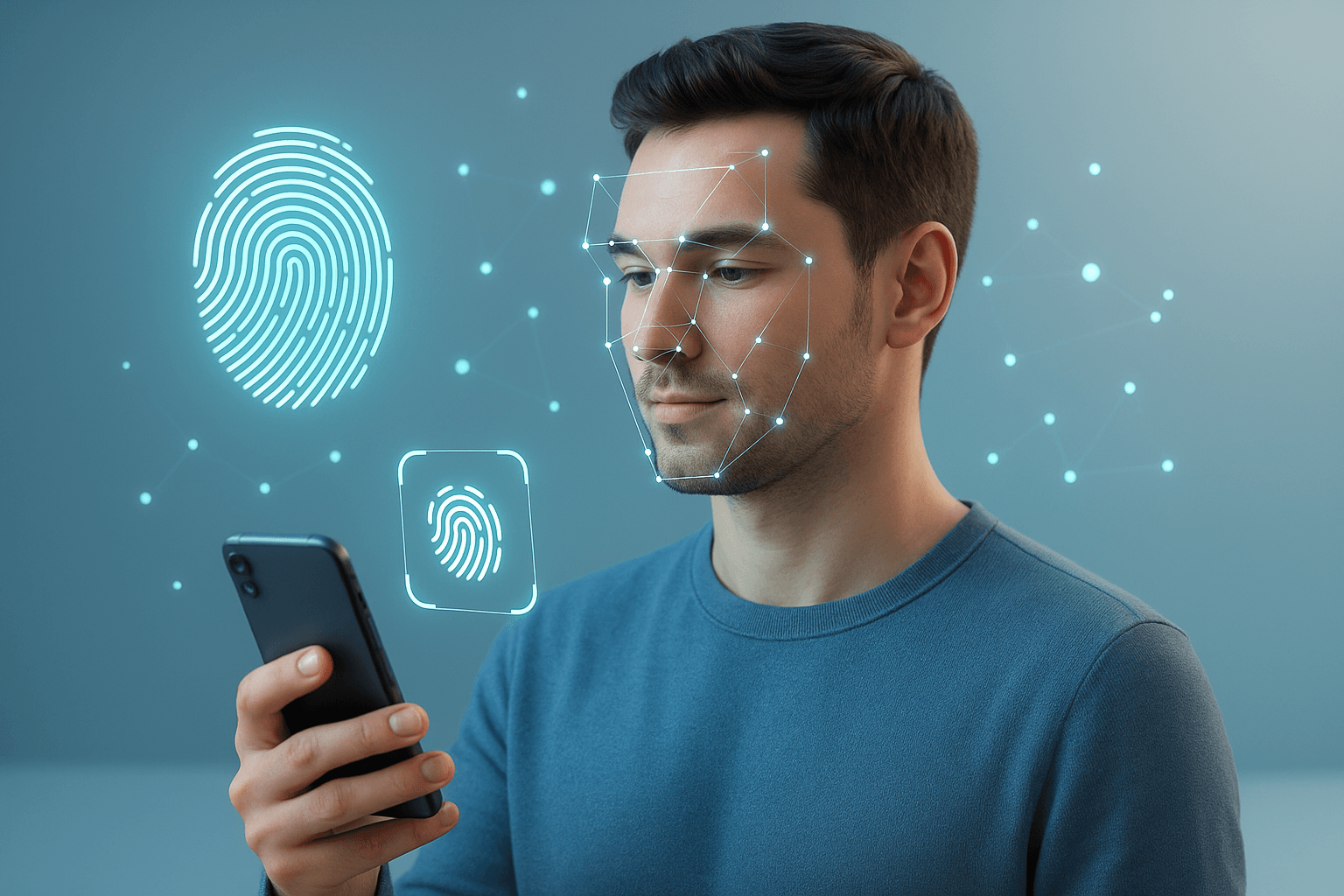
I still remember setting up my very first email around 2009. Back then, I was convinced that adding “123” to the end of a password made me untouchable. Fast-forward to today and I log into most accounts by glancing at my iPhone. No typing, no resetting, no sticky notes. It feels almost mundane now, which is exactly the point.
Passwords were never meant to carry the weight of modern digital life. They’re clunky, insecure, and deeply annoying. But more than that, they’re actually failing. The future of authentication is already shifting, and if you look closely, it’s moving toward something that removes the user from the equation almost entirely: passwordless authentication.
This isn’t just about biometrics or magic links. It’s about a world where you don’t notice you’re logging in, because the system already knows it’s you.
Why Passwords Are Broken
Passwords are the weakest link in modern security, and the numbers back that up. According to Verizon’s 2024 Data Breach Investigations Report, stolen credentials have appeared in roughly one-third of all breaches over the past decade, climbing to 38% in 2024 alone. A separate analysis found they’re involved in 77% of web application attacks specifically.
A few more things worth knowing:
- The average person manages 100+ accounts but reuses the same handful of passwords across them.
- Phishing emails now get clicked in under 60 seconds on average, meaning a stolen credential is usable almost immediately.
- 65% of credentials harvested by stealers end up for sale on criminal forums within 24 hours.
In short, the “password economy” has failed us. Security teams patch leaks while users juggle password managers or, more honestly, write them on sticky notes. Neither feels like a solution.
What Does Passwordless Authentication Actually Mean?
When I say passwordless, I don’t mean replacing one friction point with another. I mean a security experience so seamless that you barely notice it.
Instead of typing something in, you’re verified based on:
- Who you are (biometrics like fingerprints, face, voice)
- What you have (a trusted device, security key, or passkey)
- How you behave (typing rhythm, device movement, browsing patterns)
- Where you are (geolocation, network signals, time of access)
Think of it as a combination of continuous authentication and contextual intelligence. The system isn’t just checking you at the door, it’s checking throughout the session.
For example:
- Your phone recognises your face on unlock. Invisible login.
- Your typing cadence and device location confirm it’s you, not a bot. Invisible login.
- Your smartwatch detects your heart rate matches your biometric profile. Invisible login.
The key thing is you don’t have to do anything extra.
The Building Blocks
1. Passkeys (The Biggest Shift Happening Right Now)
This is the most important development in authentication and the one most people underestimate.
Passkeys are built on the FIDO2 / WebAuthn standard. Instead of a password, your device creates a cryptographic key pair: the private key never leaves your phone or laptop, and the public key is registered with the service. When you log in, the service challenges your device, your device signs the response with your private key, and the service verifies it with the public key. No password ever crosses the wire, so there’s nothing to phish or steal from a server database.
The adoption numbers are real now, not theoretical. According to the FIDO Alliance Passkey Index 2025, there are 5 billion passkeys in active use globally. Amazon created 175 million passkeys after making them available to all users, and saw sign-in success rates improve by 30%. Microsoft made passkeys the default sign-in for new accounts in May 2025, which drove a 120% increase in passkey authentications almost immediately. Google accounts for a significant share of passkey activity after making them a default option for personal accounts in late 2023.
Passkey logins are also three times faster than traditional passwords and eight times faster than a password combined with traditional MFA, according to Microsoft’s own data.
The reason passkeys feel “invisible” is that they work through mechanisms you’re already using: Face ID, Touch ID, or Windows Hello. There’s no new habit to build.
2. Biometrics Beyond the Basics
Face ID and Touch ID made biometrics mainstream, but the category has kept moving. Voice recognition, gait analysis, even subtle micro-expression detection are entering practical deployment.
The core advantage is simple: you can’t forget your fingerprint. The challenge is privacy. Where is the biometric data stored, who can access it, and what happens if it’s compromised? Unlike a password, you can’t rotate your face. Most well-implemented systems address this by keeping biometric data on-device only, which is how Apple’s Secure Enclave approach works.
3. Behavioral Biometrics
This is where things get genuinely interesting. Platforms are already analysing how you type, swipe, or move a mouse to create a behavioral signature unique to you. It’s a digital fingerprint of your habits rather than your body.
The practical implication: even if someone steals your unlocked laptop, the system can detect that their typing rhythm feels off and step up authentication silently. You never see this happening, which is why it fits the “invisible” framing well.
4. Contextual Authentication
Invisible authentication thrives on context: time of day, geolocation, IP reputation, Wi-Fi networks you typically connect from.
If I log in from Dubai at 10 AM on my MacBook, the system trusts me. If the same account suddenly logs in from a different country at 3 AM on an unrecognised device, that’s a signal worth acting on. The system can prompt for additional verification or block the attempt without touching the normal user experience at all.
Benefits Worth Naming
Frictionless UX. No typing, no remembering, no resetting. Nearly half of consumers have abandoned a purchase because they forgot a password, according to FIDO Alliance research. Removing that barrier has measurable conversion impact.
Stronger security. Passkeys are phishing-resistant by design because they’re cryptographically bound to a specific domain. You can’t be tricked into entering your passkey on a fake site. Continuous behavioral authentication is also significantly harder to spoof than a static credential.
Lower operational cost. Password resets are one of the most common IT support tickets across enterprises. Eliminating passwords reduces that volume directly.
Zero-trust alignment. Passwordless authentication maps cleanly onto zero-trust architecture, where no user or device is implicitly trusted and identity is verified continuously rather than once at the gate.
The Challenges (Nothing Is Perfect)
Privacy concerns. Continuous monitoring can feel intrusive, and behavioral data is sensitive. Who owns it, how long it’s stored, and who can access it are questions that aren’t consistently answered across implementations yet.
False positives. If you injure your hand, your typing rhythm changes. If your appearance changes significantly, facial recognition may fail. Systems need to degrade gracefully without locking out legitimate users.
Accessibility. Not everyone can use biometrics due to physical or cognitive limitations. Any genuinely good implementation needs fallback paths that don’t reintroduce password-level vulnerabilities.
Enterprise inertia. Despite the momentum, 87% of organisations still use passwords for customer-facing authentication, according to Descope’s 2025 State of Customer Identity survey. Legacy systems and procurement cycles slow adoption even when the intent is there.
Where This Is Going
In the next few years, I think we’ll see:
- Passwordless as the default, not the exception. The platform-level moves from Google, Microsoft, and Apple are structural, not promotional. They’re changing defaults, which changes behaviour at scale.
- Authentication moving to the hardware layer. The gap between your OS, your browser, and your identity is closing. Authentication will increasingly happen below the application level, invisible to both the user and the developer.
- Continuous background verification. Identity confirmation won’t be a one-time gate at login. It’ll run throughout a session, silently, adjusting trust levels in real time.
- AI-driven anomaly detection. Models running at the edge will spot behavioural inconsistencies in milliseconds and trigger step-up authentication before a human attacker has time to act.
The endpoint is authentication that feels like oxygen: present, essential, and completely unnoticeable.
My Take
Passwords won’t disappear overnight. But the infrastructure underneath them is being replaced right now, quietly, by passkeys and biometrics and behavioural signals. The FIDO Alliance reports 5 billion passkeys already in active use. Microsoft, Google, and Apple have all made it their default. The direction is clear.
What makes this more than a security story is what it means for the people using these systems every day. Logging in has always been a small tax on human attention, multiplied thousands of times across every account you’ve ever created. Invisible authentication isn’t just a security upgrade. It’s a usability revolution. It’s the internet quietly saying: “Don’t worry, I know it’s you.”
And honestly, after 15 years of uppercase P’s and exclamation marks, I’m ready for that.
Related reading
You might also enjoy these